Picking the right learning device for a toddler is more about durability and safety than processing power. The wrong choice can mean cracked screens, frustrated kids, and wasted money on a toy that’s too complex or too boring.
I’m Emma — the founder and writer behind Baby Bangs. I’ve spent hundreds of hours analyzing the hardware, software safeguards, and age-appropriate content libraries to separate the few real tools from the many fragile distractions.
This guide breaks down the top options built with thick bumpers, meaningful educational value, and parent-friendly controls to help you find the best learning tablet for toddlers that actually grows with your child.
How To Choose The Best Learning Tablet For Toddlers
A toddler tablet is a different creature from a family iPad or an adult work slate. You are buying a system built around three priorities: physical survival of the device, a content ecosystem that educates instead of just pacifying, and parental controls you can actually set in under a minute.
Physical Durability and the Kid-Proof Case
The single biggest predictor of a toddler tablet’s lifespan is not the processor or screen resolution — it is the included case material and corner protection. Look for EVA foam or thick silicone bumpers that extend past the bezel so a face-down drop doesn’t hit the glass. A built-in stand is also essential for hands-free viewing at mealtime or in the car.
Content and Educational Value
Pre-installed apps focused on phonics, number recognition, shapes, and simple logic puzzles separate a serious learning tool from a cheap video player. Options range from screen-free card-based systems (zero risk of blue light exposure) to full Android tablets with curated kid stores. The best choice depends on whether you want to limit screen exposure or just control what appears on it.
Parental Controls and Screen Time Limits
A good toddler tablet lets you set daily time limits, block web browsers entirely, filter content by age, and approve every app download from your own phone. If the settings require more than five minutes to configure, the tablet will likely end up abandoned in a drawer. Look for “Parent Dashboard” apps that work remotely and can apply profiles per child.
Quick Comparison
On smaller screens, swipe sideways to see the full table.
| Model | Category | Best For | Key Spec | Amazon |
|---|---|---|---|---|
| Amazon Fire HD 10 Kids Pro | Premium | Ages 6-12, older kids | 10.1″ HD, 13-hour battery | Amazon |
| Amazon Fire 7 Kids | Premium | Ages 3-7, first tablet | 7″ display, 10-hour battery | Amazon |
| CFVOCUY 10.1 Inch Kids Tablet | Mid-Range | Battery life, long trips | 5000mAh battery, 8GB RAM | Amazon |
| Urao Kids Tablet 10 Inch | Mid-Range | Larger screen, expandable storage | 10″ LCD, 1TB expandable | Amazon |
| Think Academy Learning Pad | Value | Screen-free sensory play | Card-based, 3 play modes | Amazon |
| TOPELOTEK Kids Tablet 7IN | Budget | Budget-friendly, basic learning | 3500mAh battery, 32GB ROM | Amazon |
| PRITOM 7 inch Kids Tablet | Budget | Entry-level, simple use | 3100mAh, 32GB ROM | Amazon |
In‑Depth Reviews
1. Amazon Fire HD 10 Kids Pro tablet

The Fire HD 10 Kids Pro is the most powerful tablet on this list, and it is the only one designed specifically for older toddlers and kids ages 6-12 with a slim protective case rather than a chunky bumper. The 10.1-inch HD display offers the sharpest image quality of the group, and the 13-hour battery easily outlasts a full day of road trips, airplane rides, or back-to-back playdates.
The included one-year Amazon Kids+ subscription unlocks thousands of ad-free books, STEM games from National Geographic and PBS, and language-learning apps. Parents get the industry’s best remote dashboard via the “Amazon Kids Parent Dashboard” mobile app, which allows you to set time limits, filter by age, and monitor activity from your own phone without touching the tablet.
The 2-year worry-free guarantee is the real standout: if the tablet breaks, Amazon replaces it for free for two full years. That alone makes this the lowest-risk purchase for any parent nervous about a toddler destroying an expensive device.
Why it’s great
- Best parental control app on the market
- 13-hour battery for all-day use
- 2-year no-questions-asked replacement guarantee
Good to know
- Case is slim, not as shock-absorbing as thicker bumpers
- Amazon ecosystem locks you into Amazon Kids+ content
2. Amazon Fire 7 Kids tablet

The Fire 7 Kids is the top-selling kids tablet on Amazon, and it is the logical choice for first-time buyers with children ages 3-7. The 7-inch screen is small enough for tiny hands to hold securely, and the included chunky kid-proof case wraps the device in thick rubber that easily survives waist-high drops onto hardwood floors.
It comes with a six-month Amazon Kids+ subscription, giving immediate access to ad-free content from Disney, Nickelodeon, and PBS Kids with educational STEM activities and language learning built into the interface. The Parent Dashboard allows you to filter by age, set time limits, and approve additional apps like Netflix and Disney+ from your phone.
The 10-hour battery means most toddlers will run out of energy before the tablet does. The 16GB internal storage is tight, but the microSD slot supports up to 1TB, so you can load up hours of downloaded shows for offline use during travel.
Why it’s great
- Proven kid-proof case design
- Easy remote parental controls
- 2-year worry-free guarantee included
Good to know
- 16GB base storage fills quickly with apps
- Screen resolution is lower than premium models
3. CFVOCUY 10.1 Inch Android 15 Kids Tablet

The CFVOCUY tablet targets parents who need maximum playtime between charges. The 5000mAh battery delivers a solid 8 hours of mixed use, and the Android 15 operating system with a five-core processor ensures apps load quickly without stuttering. The 8GB RAM (3+5 expanded) is generous for a kids tablet and keeps multiple educational games running in the background.
The 10.1-inch IPS display runs at 1280×800 resolution with a built-in eye protection mode that reduces blue light. Pre-installed educational apps cover math, reading, and creative drawing. The EVA foam case is soft, lightweight, and includes a built-in adjustable stand for hands-free use at a table or on an airplane tray.
The included parental control mode lets you set screen time limits and filter content, though the interface is less polished than Amazon’s dashboard. The 64GB internal storage with microSD expansion up to 1TB means you never have to worry about deleting content to make room for a new app.
Why it’s great
- Large 5000mAh battery for extended play
- 8GB RAM handles multiple apps smoothly
- Soft EVA case with stand included
Good to know
- Parental controls are not as refined as Amazon’s system
- Android tablet may require more initial setup
4. Urao Kids Tablet 10 Inch Android 16
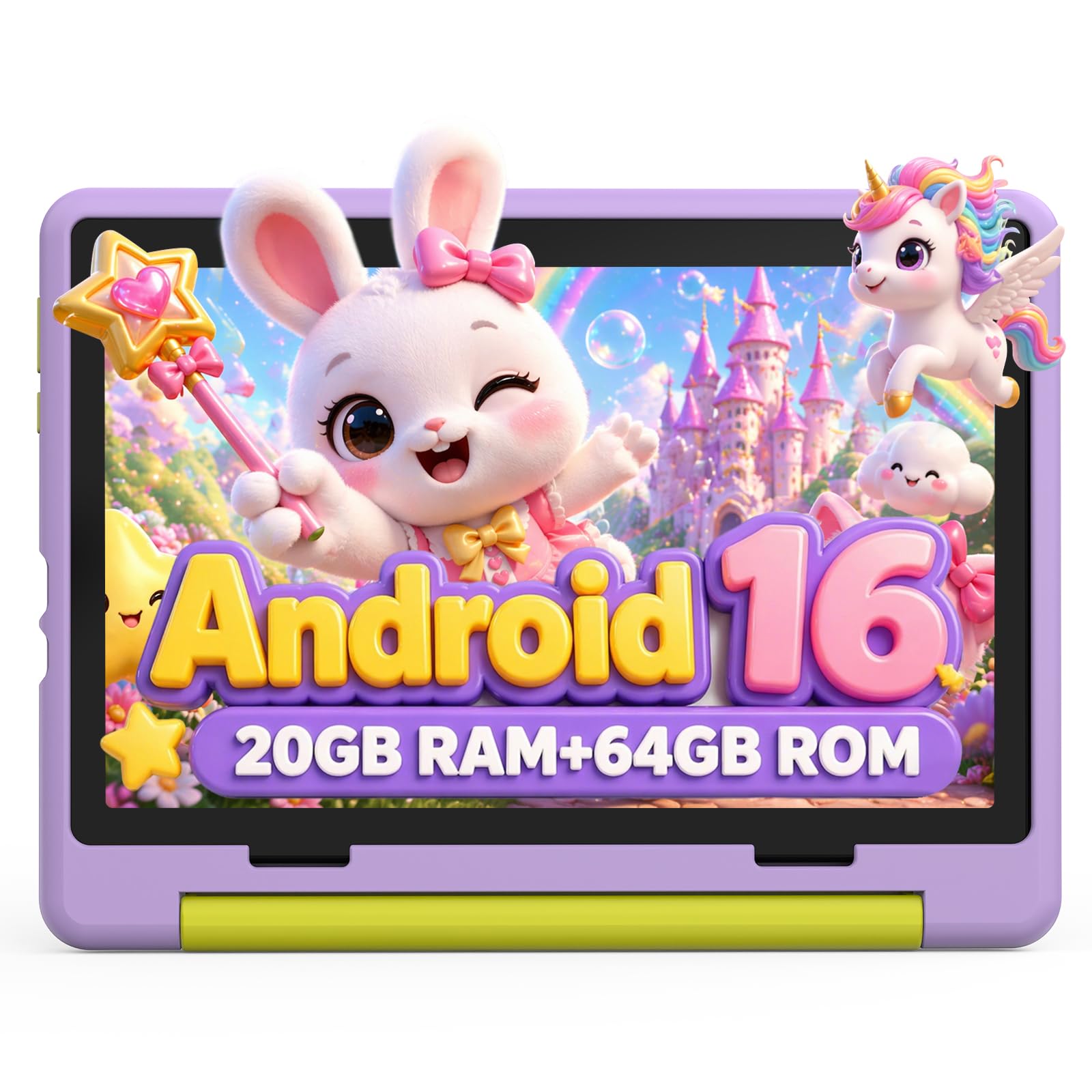
The Urao tablet stands out with its 10-inch LCD and the latest Android 16 operating system. The 20GB RAM (combined) and 64GB ROM with up to 1TB microSD expansion mean this tablet has more storage headroom than any other model in this review. For parents who want to preload entire libraries of shows, apps, and e-books, this is the most future-proof option.
The 1280×800 IPS display includes a dedicated reading mode that reduces flicker and blue light, and the fast-charging technology fully recharges the 3500mAh battery in about 1.5 hours. The included food-grade silicone case has an adjustable bracket for multiple viewing angles and provides solid drop protection for the larger form factor.
Parental controls allow you to create individual profiles for each child, limit screen time, and whitelist approved apps. The Android 16 operating system also eliminates unwanted ads, keeping the interface child-friendly without constant interruptions. This is a strong option for parents who want the latest Android software on a dedicated kids device.
Why it’s great
- 20GB RAM for smooth multitasking
- 1TB expandable storage capacity
- Fast 1.5-hour recharge time
Good to know
- Battery life is average at 6 hours
- Larger size may be heavy for very young toddlers
5. Think Academy Learning Pad X100
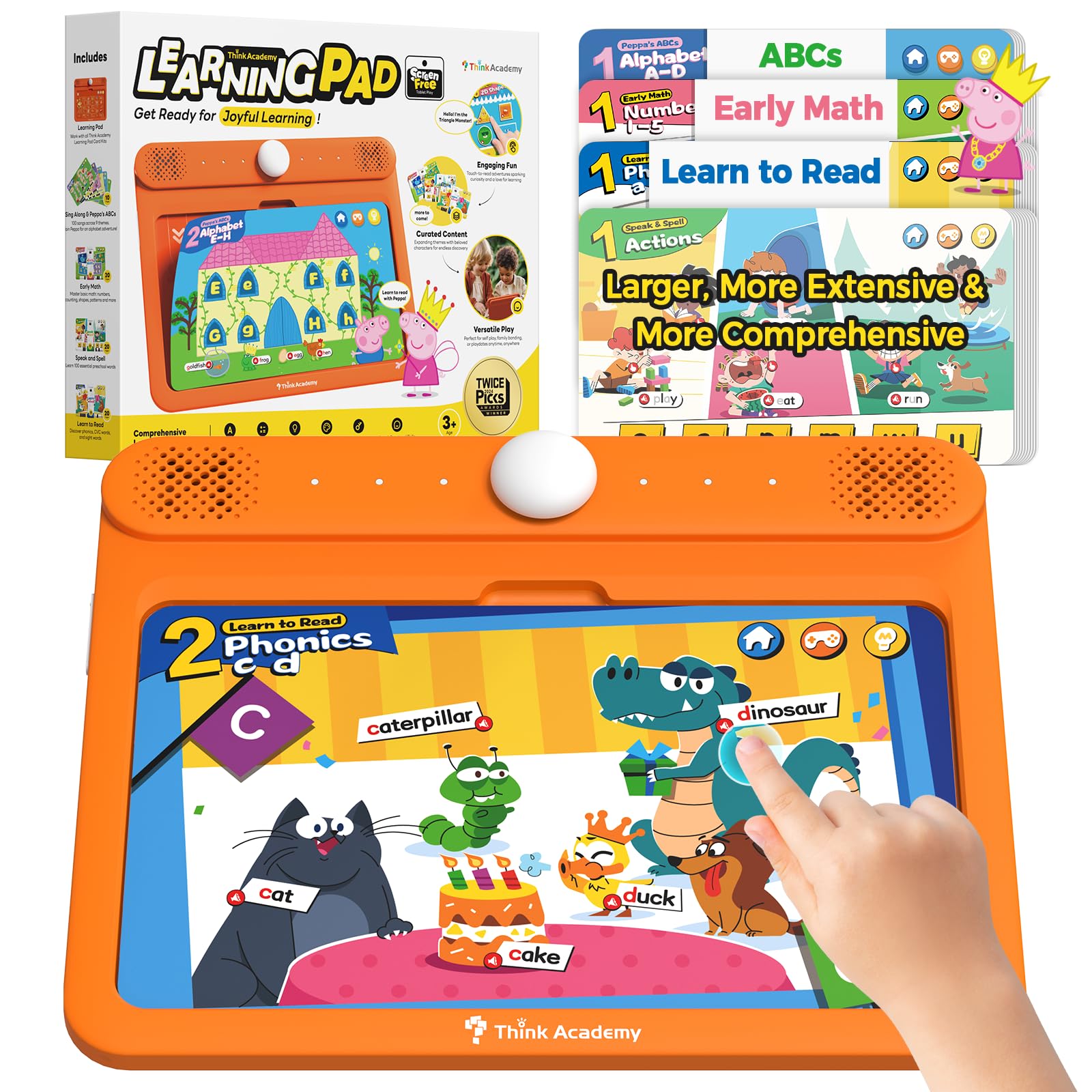
The Think Academy Learning Pad is a screen-free device, meaning zero blue light exposure and zero risk of a cracked LCD. It uses chunky flash cards that toddlers insert into a slot to trigger voice prompts and sound effects. This physical interaction with learning cards helps build fine motor skills and hand-eye coordination in a way that screen-swiping simply cannot replicate.
The kit includes 70 double-sided cards covering early math, phonics, alphabet, numbers, animals, and daily life skills. Three play modes — Exploration, Game, and Hints — adapt to the child’s pace and keep the experience fresh. The thick ABS frame and rounded edges are virtually indestructible, and the waterproof matte-finish cards wipe clean easily.
Runs on 3 AA batteries, so there is no charging cable to lose. The Think Academy is the safest option for parents who want to limit screen time but still provide an interactive learning experience for ages 3-5. It is also the best travel companion for long flights where you cannot rely on WiFi.
Why it’s great
- Zero screen time with interactive feedback
- Builds fine motor skills with physical cards
- Durable, waterproof card design
Good to know
- Content is fixed — no new app downloads
- Requires AA batteries (not rechargeable)
6. TOPELOTEK Kids Tablet 7IN
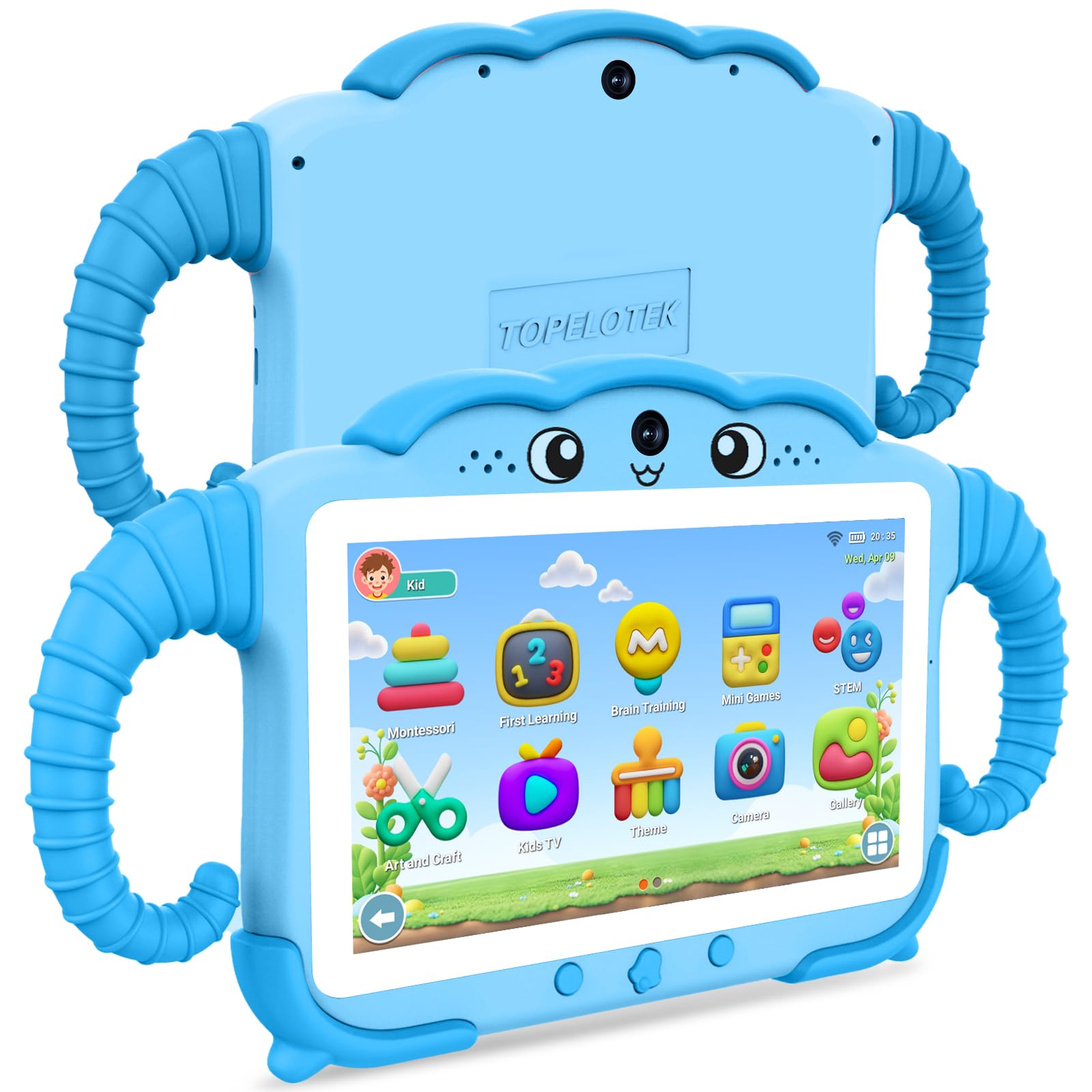
The TOPELOTEK tablet is the best entry-level Android option for parents on a tight budget who still want a dedicated kids device with a proper learning ecosystem. The 7-inch, 1024×600 LCD is paired with a 3500mAh battery that delivers about 8 hours of mixed use. The dual-system approach lets kids use the kid-friendly interface or switch to a standard Android mode.
Pre-loaded educational apps cover Montessori methods, first learning concepts, brain training, and STEM mini-games. The parental control mode allows screen time limits, content filtering, and age-appropriate material selection. The tablet also includes a lightweight, drop-proof case with a rotatable stand for hands-free use.
The 2GB RAM and 32GB internal storage (expandable to 128GB via microSD) are adequate for basic apps and video playback, but power users will hit the RAM ceiling quickly with multiple apps open. This is a solid choice for parents who want an affordable way to introduce educational screen time to a 3-7 year old.
Why it’s great
- Great battery life for the price tier
- Included educational apps are well-curated
- Lightweight and easy for small hands
Good to know
- 2GB RAM limits heavy app multitasking
- Screen resolution is basic at 1024×600
7. PRITOM 7 inch Kids Tablet

The PRITOM K7Pro is the most affordable full Android tablet on this list, and it is designed for parents who want to test the waters with a children’s tablet without a significant investment. The 7-inch IPS display at 1024×600 is paired with a quad-core processor and Android 13, which is a slightly older OS version but still receives basic security updates.
The tablet comes with the iWawa kid’s software pre-installed, providing a safe, curated library of educational games and apps for ages 3-12. The kid-proof case is made from soft, impact-resistant silicone with a built-in stand, and it covers the corners and edges effectively. The 3100mAh battery provides about 3 hours of use, which is the lowest in this review and may require midday charging.
The 4GB RAM (with 2GB expanded) keeps basic apps running fine, but this tablet is best suited for casual use — watching YouTube Kids, playing simple puzzle games, and reading e-books. The 1-year warranty is shorter than the Amazon guarantee, so parents of rough-and-tumble toddlers should consider the higher-tier options if durability is a primary concern.
Why it’s great
- Lowest entry cost for an Android kids tablet
- iWawa software provides safe, curated content
- Lightweight silicone case protects corners
Good to know
- 3-hour battery is the weakest of the group
- Older Android 13 OS may limit future app support
FAQ
Should I get a screen-free learning pad or a full tablet for my 3-year-old?
How important is the kid-proof case that comes with the tablet?
Can I use a regular tablet with a child profile instead of a kids tablet?
Final Thoughts: The Verdict
For most users, the learning tablet for toddlers winner is the Amazon Fire 7 Kids tablet because it offers the best balance of durability, parental controls, content library, and a 2-year worry-free replacement guarantee at a competitive price. If you want a screen-free option that builds motor skills with physical cards, grab the Think Academy Learning Pad. And for maximum battery life on long trips, nothing beats the CFVOCUY 10.1 Inch Kids Tablet with its 5000mAh battery.