A preschooler’s first tablet is a big decision. Hand them a toy that’s pure entertainment, and you miss the window for early literacy and STEM building. Hand them a full adult device, and you’re fighting screen-time battles before you’ve had coffee. The right learning tablet for preschoolers bridges that gap — it delivers teacher-approved apps, tough hardware for clumsy hands, and parental controls that keep you in charge.
I’m Emma — the founder and writer behind Baby Bangs. My research focuses on analyzing Android and Fire OS configurations, kid-proof case durability, and the educational depth of pre-loaded content, specifically for the 2-to-7 age bracket.
After sorting through the specs, battery claims, and app libraries of seven top contenders, I’ve built a clear picture of what matters. This guide will help you find the absolute best learning tablet for preschoolers — one that grows with them without breaking your daily routine.
How To Choose The Best Learning Tablet For Preschoolers
Not every tablet sold as “educational” actually teaches. The best devices combine durable hardware, a curated app library, and parental controls that let you set the rules. Here is what to check before you click purchase.
Parental Control Depth
Look for a dashboard that lets you filter by age, approve or block individual apps, and set time limits per category (learning vs. play). The strongest systems let you create a separate profile for each child. A simple time-out timer is not enough — a preschooler needs guided boundaries, not just a hard shutdown.
Educational Content Library
Pre-loaded apps vary wildly. Some tablets include dozens of teacher-approved games covering letters, numbers, shapes, and phonics. Others just throw in generic puzzle titles. Check if the subscription service (like Amazon Kids+) offers ad-free, age-appropriate books, videos, and STEM activities. Free content usually beats later subscription costs.
Durability and Case Design
A preschool tablet will fall — off the couch, down the stairs, into a cereal bowl. The included case must wrap the corners and edges with shock-absorbing material like EVA or silicone. A built-in stand is a bonus for hands-free video calls or reading. A separate replacement guarantee is the real safety net.
Battery Life and Charging
You want 7–10 hours of mixed use so you are not hunting for a charger mid-road trip. Check the milliampere-hour (mAh) rating — 5000mAh is the baseline, 6000mAh is better. Fast charging (USB-C with PD support) is a practical win for busy mornings.
Quick Comparison
On smaller screens, swipe sideways to see the full table.
| Model | Category | Best For | Key Spec | Amazon |
|---|---|---|---|---|
| CFVOCUY Android 15 Kids (Product 5) | Premium | Fast performance & WiFi 6 | 8GB RAM / 64GB ROM | Amazon |
| Amazon Fire HD 10 Kids Pro (Product 7) | Premium | Best app library & guarantee | 13-hour battery | Amazon |
| Amazon Fire 7 Kids (Product 6) | Premium | Entry-level Amazon ecosystem | 2-year worry-free guarantee | Amazon |
| WXUNJA Android 15 Kids (Product 3) | Mid-Range | Large battery & octa-core speed | 6000mAh battery | Amazon |
| Urao Android 16 Kids (Product 4) | Mid-Range | Latest Android & fast charge | 20GB RAM / 64GB ROM | Amazon |
| YINOCHE Kids Tablet (Product 2) | Mid-Range | Big screen & fish theme appeal | 10.1″ HD display | Amazon |
| ZZB Kids Tablet (Product 1) | Budget | Best value for basic learning | 6000mAh battery | Amazon |
In‑Depth Reviews
1. CFVOCUY Android 15 Kids Tablet

The CFVOCUY earns the top spot because it pairs real performance with preschool-focused features. The Android 15 system keeps things ad-free and snappy, while 8GB of RAM (3GB built-in plus 5GB virtual) handles app switching without lag — critical when a child jumps from a phonics game to a drawing app. The 64GB internal storage is generous, and the microSD slot lets you add up to 1TB for offline content.
The included EVA protective case is thick enough to absorb a tumble off a kitchen chair, and the built-in adjustable stand makes hands-free video calls or story time easy. The 5000mAh battery delivers around 8 hours of mixed use, which is solid for a full day of preschool learning sessions.
The pre-installed educational apps cover early literacy, numbers, and problem-solving. The eye protection mode reduces blue light, and the parental control dashboard lets you set time limits and filter content by age. WiFi 6 support ensures fast downloads and smooth streaming even in busy homes.
Why it’s great
- Fast octa-core processor and 8GB RAM for smooth multitasking
- Includes a rugged EVA case with adjustable stand
- WiFi 6 for stable, fast connections
- Eye protection mode reduces eye strain
Good to know
- Battery life is average at 8 hours for heavy use
- Pre-loaded app selection is good but not as curated as Amazon Kids+
2. Amazon Fire HD 10 Kids Pro

The Fire HD 10 Kids Pro is the premium pick for parents who want the best app ecosystem. The 10.1-inch HD display is bright and sharp, and the 13-hour battery is class-leading — it will survive a long car trip and still have juice for evening story time. The slim case is designed for older kids (ages 6-12), but it fits younger preschoolers too, with a built-in stand.
The real differentiator is the Amazon Kids+ subscription (included for one year). It gives unlimited, ad-free access to thousands of age-appropriate books, videos, games, and apps from trusted brands like PBS Kids, Disney, and Nat Geo. The Parent Dashboard is award-winning — you can set time limits by content type, approve or block apps, and remotely manage everything from your phone.
The 2-year worry-free guarantee is the best in the business: if the tablet breaks, Amazon replaces it for free. The 32GB storage is enough for most families, and it supports microSD expansion up to 1TB. The Fire OS is locked down but runs smoothly for educational tasks.
Why it’s great
- 13-hour battery is exceptional for long days
- Amazon Kids+ offers a huge ad-free content library
- 2-year worry-free guarantee covers accidental damage
- Best parental controls on the market
Good to know
- Fire OS is less flexible than pure Android for custom app installs
- Case is slim but less shock-absorbing than bulkier EVA options
3. Amazon Fire 7 Kids Tablet

The Fire 7 Kids is the entry-level gateway to the Amazon Kids ecosystem. The 7-inch display is smaller and lower resolution than the HD 10, but it’s perfectly sized for small hands and less intimidating for a first-time user. The included kid-proof case is thick and wrap-around, designed to survive preschool-level drops and spills.
It includes 6 months of Amazon Kids+ (the same ad-free library of books, games, and videos). The 10-hour battery is impressive for its size, and the 16GB storage can be expanded via microSD. The parental controls are the same award-winning system as the bigger model — complete with time limits and content filters.
The 2-year worry-free guarantee applies here too, making it a low-risk first purchase. Performance is basic — fine for one app at a time but not for heavy multitasking. It is best for parents who want to test the Amazon Kids ecosystem before investing in the larger model.
Why it’s great
- Very affordable entry point with full Amazon Kids+ support
- 10-hour battery is great for a small tablet
- 2-year worry-free guarantee covers everything
- Kid-proof case is thick and protective
Good to know
- Screen resolution is low (1024×600) for reading or detailed apps
- 16GB storage fills up quickly without a microSD card
4. WXUNJA Android 15 Kids Tablet
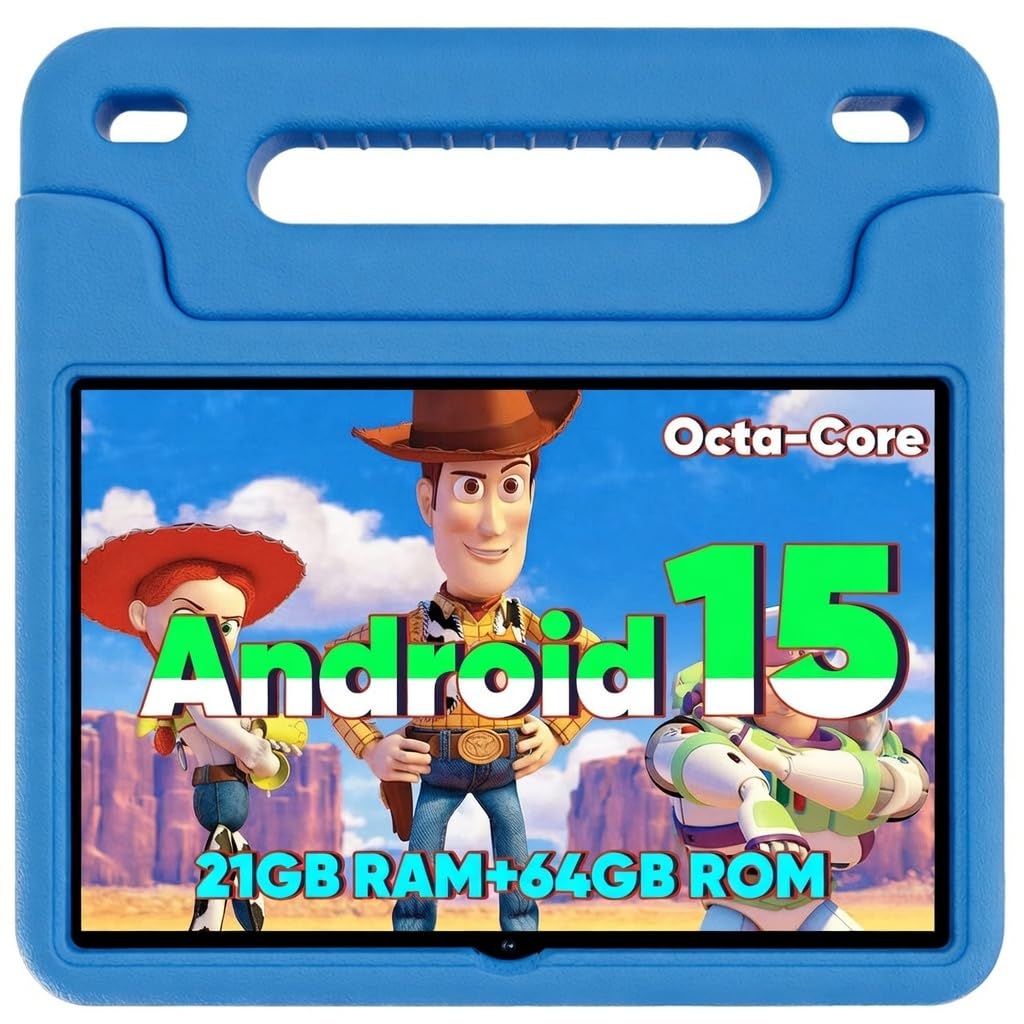
The WXUNJA is built for parents who prioritize battery longevity and raw processing speed. The 6000mAh battery (coupled with an octa-core processor) delivers up to 9 hours of video playback — the best endurance in the mid-range tier. The 2.0 GHz octa-core chip is 40% faster than typical processors in this price bracket, so apps load quickly and transitions are smooth.
The 10.1-inch IPS HD display (1280×800) is crisp enough for reading and puzzles, and the eye protection mode reduces blue light. The included silicone case is sturdy and has an adjustable stand for hands-free use. It also supports PD fast charging, so you can top it up quickly between outings.
The Google Kids Space app is pre-installed, giving access to teacher-approved games and books. Parental controls are comprehensive, allowing profile creation and content filtering. A minor downside is that the case is made of silicone rather than EVA, which offers slightly less drop protection.
Why it’s great
- 6000mAh battery offers excellent endurance
- Octa-core processor is fast for this tier
- PD fast charging saves time
- Google Kids Space provides quality educational content
Good to know
- Silicone case is good but less shock-absorbing than EVA
- Some users report occasional ad pop-ups in free apps
5. Urao Android 16 Kids Tablet
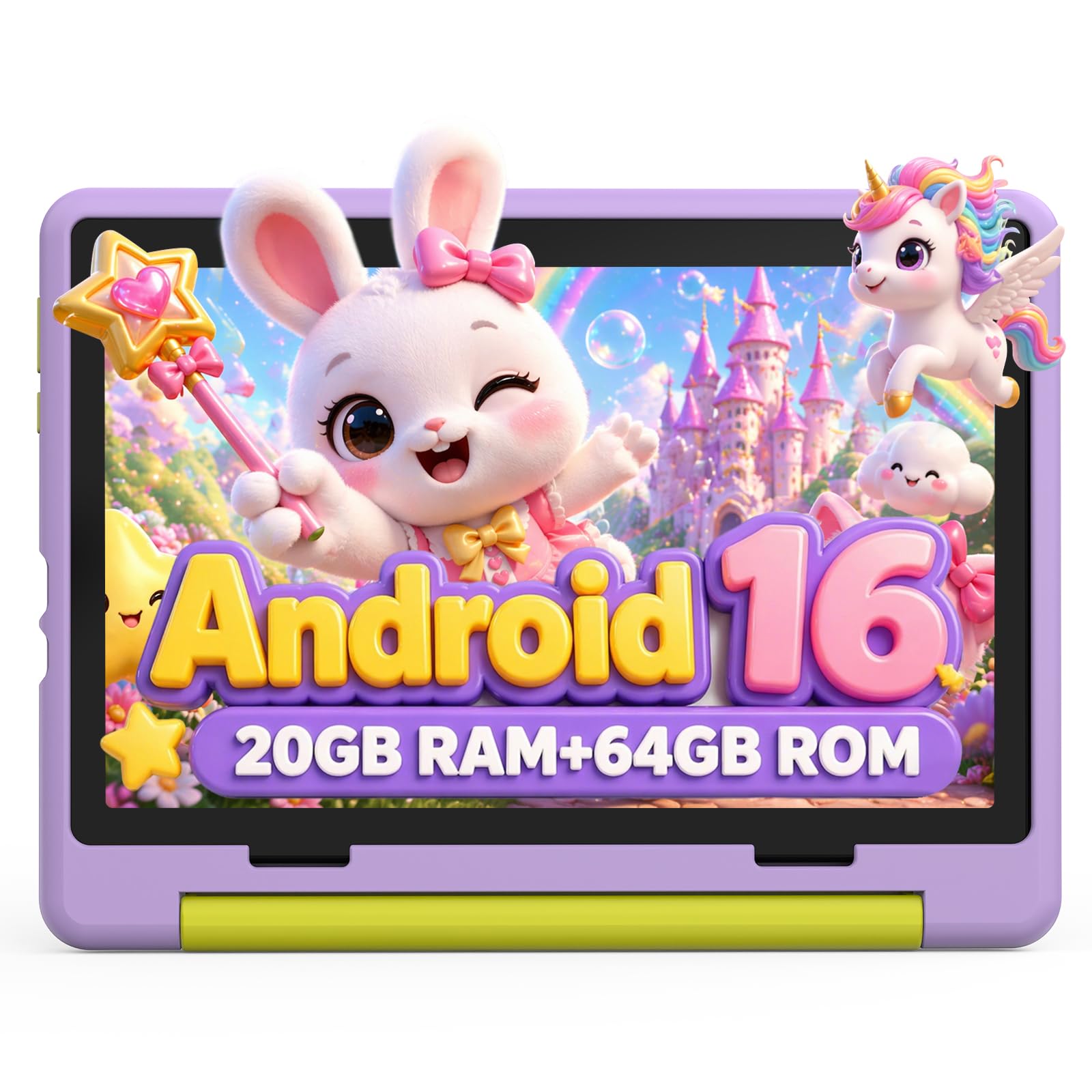
The Urao stands out for running the latest Android 16 operating system, which means better security and ad-blocking compared to older versions. The 20GB of RAM (combined) sounds impressive, but it is a mix of physical and virtual memory — still, it handles preschool apps like Khan Kids and Endless Reader without stuttering.
The 10.1-inch IPS HD display has a reading mode that reduces flicker and blue light, making it comfortable for longer sessions. The 64GB internal storage is generous, and the microSD slot allows expansion up to 1TB. Fast charging via USB-C takes the battery from empty to full in about 1.5 hours, which is convenient for busy schedules.
The included food-grade silicone case is soft and flexible but may not absorb hard drops as well as EVA alternatives. The parental controls are solid, with profile creation and screen-time limits. It is a great pick if you want the newest Android version, but the battery life (around 6 hours) is shorter than competitors.
Why it’s great
- Latest Android 16 OS for enhanced security
- Fast charging (full charge in 1.5 hours)
- Large 64GB internal storage
- Reading mode reduces eye strain
Good to know
- Battery life is only about 6 hours of active use
- Silicone case offers less drop protection than EVA
6. YINOCHE Kids Tablet
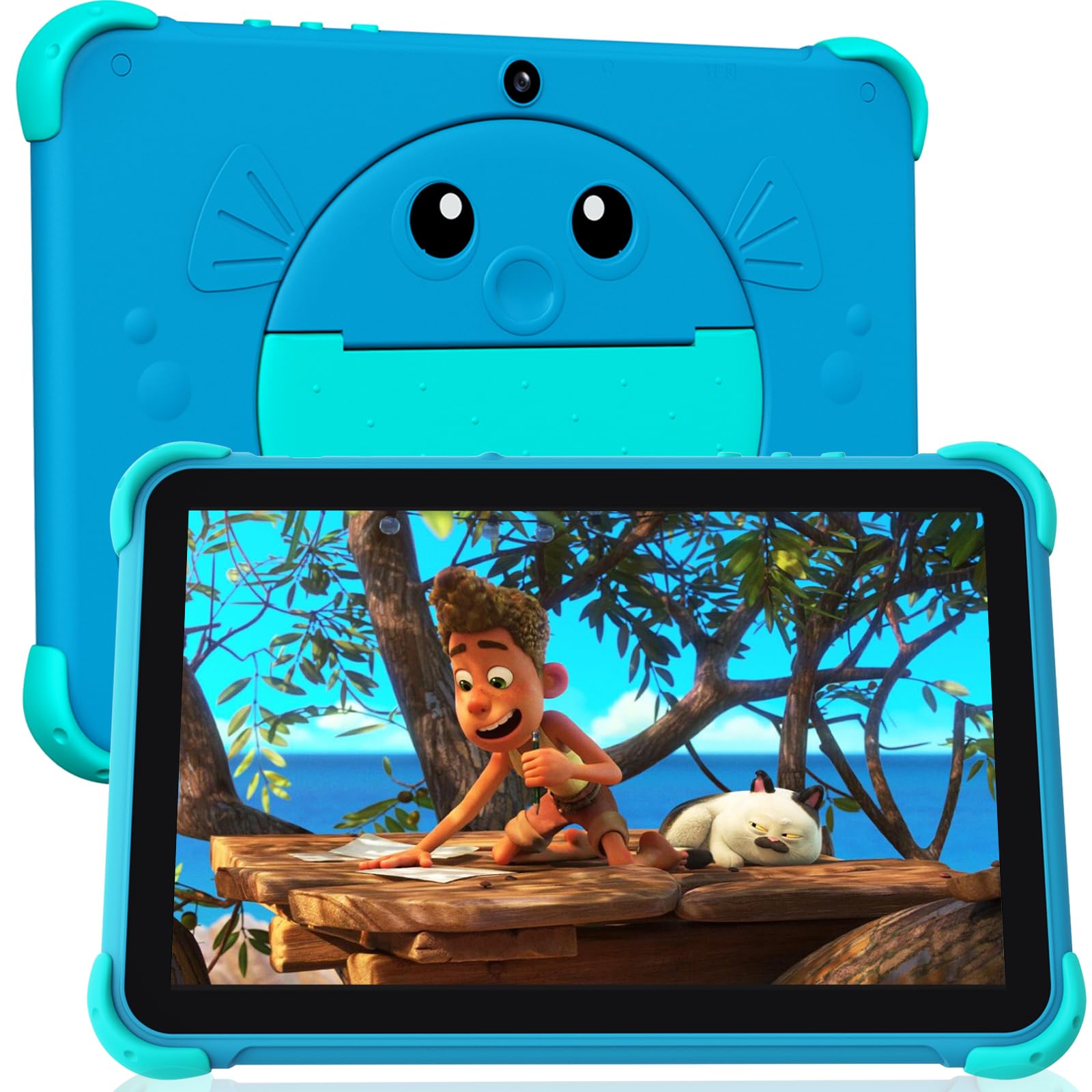
The YINOCHE tablet targets young learners with a playful fish-themed design that immediately captures attention. The 10.1-inch HD display is bright and responsive, and the 2.0 GHz dual-core processor offers solid performance for single-app use. The 2GB RAM and 32GB storage are modest but sufficient for a preschooler’s app library, with microSD expansion up to 1TB.
The pre-loaded Yubabe app includes teacher-approved games, videos, and eBooks covering early literacy, STEM, and creativity. It runs on a recent Android OS (ad-free experience), and the tablet supports downloading additional apps from Google Play, including Netflix and YouTube Kids. The 5000mAh battery delivers around 6–7 hours of mixed use.
The included protective case is decent but feels less premium than the EVA cases found on pricier models. Parental controls are basic — time limits and app blocking are available, but there is no content-type filtering. It is a good entry-level choice for families who want a big screen at a lower price point.
Why it’s great
- Fun fish theme appeals to young children
- Large 10.1-inch HD screen for immersive learning
- Supports Google Play for app expansion
- Ad-free Android experience
Good to know
- Basic parental controls lack content-type filtering
- Case is less rugged than EVA alternatives
7. ZZB Kids Tablet 10 Inch
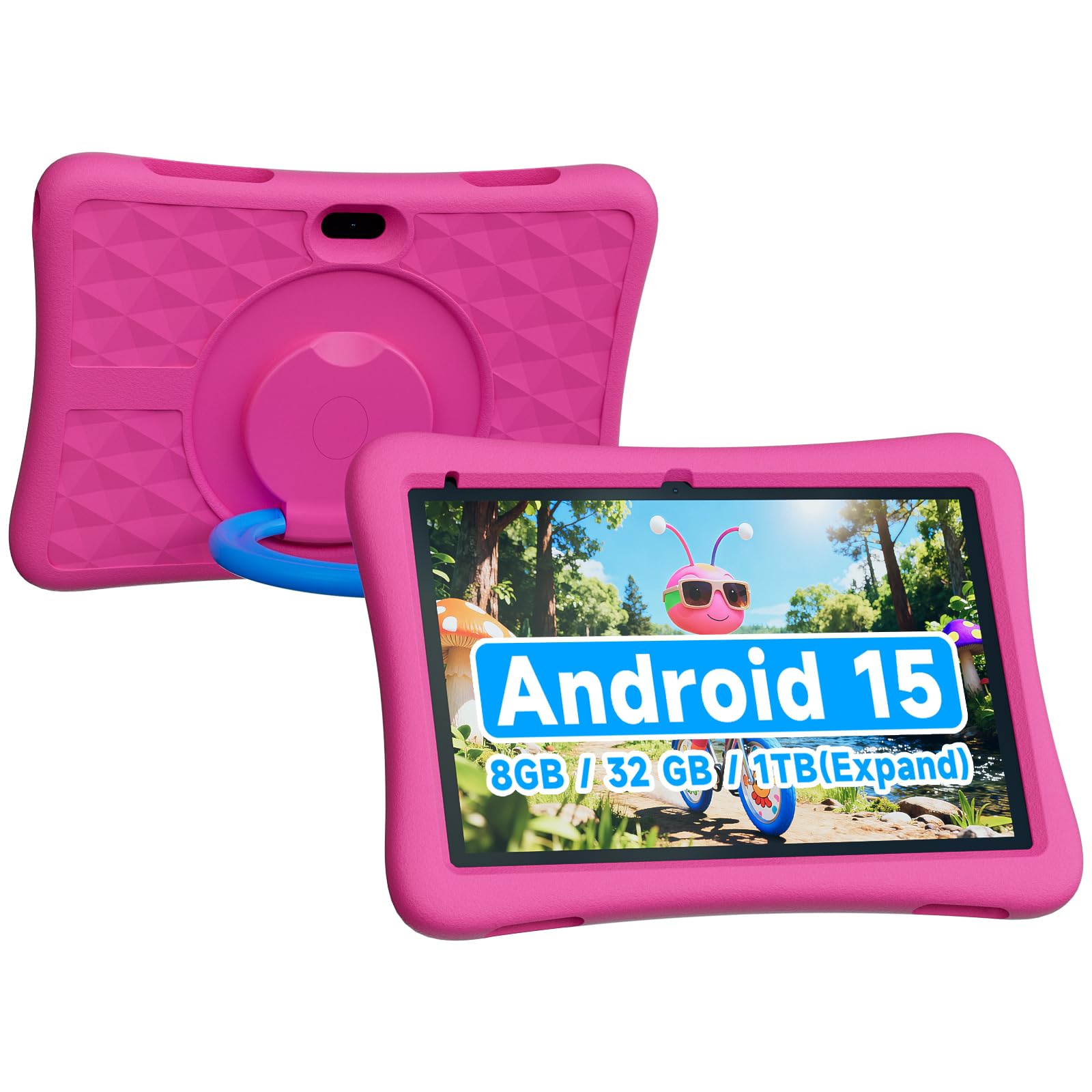
The ZZB tablet is the most affordable option on this list, but it holds its own where it matters most. It runs Android 15, keeping the system modern and ad-reduction features intact. The 8GB of RAM (3GB built-in plus 5GB virtual) is surprisingly capable for preschool apps, and the 32GB internal storage is expandable up to 1TB.
The 6000mAh battery offers around 8 hours of use — matching the best in its class. The 10.1-inch screen is bright enough for indoor use, though the resolution is standard HD rather than the sharper IPS panels found on higher-end models. The included EVA protective case is a nice surprise at this price point, offering good drop absorption.
Pre-loaded content is basic but functional, with a selection of kid-friendly apps and games. Parental controls are present for managing screen time and content access. The dual cameras (2MP front, 8MP rear) are a bonus for video calls and casual photos. It lacks Google Kids Space, but you can download educational apps from Google Play.
Why it’s great
- Excellent battery life for the price (6000mAh)
- Includes a rugged EVA protective case
- Modern Android 15 OS keeps it current
- Great value for budget-conscious families
Good to know
- Screen resolution is standard HD, not IPS
- Pre-loaded educational content is sparse
FAQ
What age is a learning tablet actually appropriate for?
Is Amazon Kids+ worth the subscription cost?
Can a preschooler use a regular Android tablet with a case?
How much storage do I actually need for a preschooler?
Do kids tablets come with a replacement warranty for drops?
Final Thoughts: The Verdict
For most users, the learning tablet for preschoolers winner is the CFVOCUY Android 15 Kids Tablet because it offers the best balance of fast performance, a rugged included case, WiFi 6, and a modern Android OS at a mid-range price. If you want the deepest app library and a 2-year replacement guarantee, grab the Amazon Fire HD 10 Kids Pro. And for budget-conscious families who still want a modern operating system and long battery life, nothing beats the ZZB Kids Tablet.