Handing a child a tablet that crashes, sparks tantrums over laggy apps, or exposes them to the open web is a recipe for household friction. The right learning tablet bridges the gap between screen time you can trust and the digital tools that actually teach, but the market is flooded with devices that blur the line between an expensive toy and a genuine educational tool.
I’m Emma — the founder and writer behind Baby Bangs. I’ve spent years analyzing the hardware, software ecosystems, and real-world durability of kids’ tablets to help parents cut through the marketing noise.
Whether you’re buying for a preschooler or a tween, this guide breaks down the critical specs and safety features to help you find the absolute best learning tablet for kids that fits your family’s needs and budget.
How To Choose The Best Learning Tablet For Kids
The perfect kids’ tablet does not exist in a vacuum — it has to survive a clumsy grip, a curious mind, and a parent’s need for peace of mind. Focus on three pillars: the safety net of the software, the toughness of the hardware, and the depth of the content library. Ignore the marketing hype about “octa-core” processors and look first at the parental controls, the display’s eye-protection features, and the battery life that matches your daily routine.
Parental Control & Content Ecosystem
A locked-down interface is the difference between a tablet that educates and one that needs constant supervision. Look for a system that lets you set time limits, filter by age, and approve every app download without needing to physically hold the device. The best solutions, like Amazon Kids+ and Google Kids Space, offer a complete, ad-free walled garden where children can only access pre-approved content. Without this, you will spend your time policing the device, not trusting it.
Build Quality & The Kid-Proof Case
A broken screen is a dealbreaker. Do not consider any tablet that does not come with a protective case designed for drops. The best cases are made from food-grade silicone or thick EVA foam and include a built-in kickstand. Look for “drop-proof” engineering, not just “shock-absorbent” padding. A tablet that slips out of a small hand onto a tile floor should bounce, not shatter.
Display, Battery & Performance
A high-resolution, low-blue-light IPS screen is essential for reducing eye strain during reading or watching educational videos. 1280×800 is the baseline for clarity at 10 inches. Battery life should exceed 8 hours of mixed use to get through a school day, a car trip, and downtime without constant charging. For performance, 3GB of RAM is the minimum to keep educational apps from stuttering, and 32GB of storage is the floor for a library of downloaded games and videos.
Quick Comparison
On smaller screens, swipe sideways to see the full table.
| Model | Category | Best For | Key Spec | Amazon |
|---|---|---|---|---|
| Amazon Fire HD 10 Kids Pro | Premium | Older kids (6-12) | 13 hours battery | Amazon |
| Amazon Fire 7 Kids | Premium | Younger kids (3-7) | 2-year warranty | Amazon |
| Samsung Galaxy Tab A8 | Premium | Versatile family use | 10.5″ WUXGA display | Amazon |
| CFVOCUY 10.1 | Mid-Range | Wi-Fi 6 streaming | 5000mAh battery | Amazon |
| WXUNJA Android 15 | Mid-Range | Long battery life | 6000mAh battery | Amazon |
| JIKOCXN Android 16 | Mid-Range | Latest Android OS | 24GB RAM config | Amazon |
| Urao Android 16 | Mid-Range | Fast charging | 1.5 hour full charge | Amazon |
In‑Depth Reviews
1. Amazon Fire HD 10 Kids Pro

The Amazon Fire HD 10 Kids Pro is the benchmark for what a dedicated kids’ tablet should be. It hits the sweet spot for older children (ages 6-12) who are ready for a full-size 10.1-inch HD screen but still need a robust safety net. The included one-year Amazon Kids+ subscription unlocks a massive library of ad-free books, STEM apps, and videos from trusted brands like National Geographic and PBS, turning the tablet into a self-contained learning ecosystem rather than just a glass screen.
What sets this model apart is the “Pro” hardware. It features Amazon’s fastest processor in a kids’ tablet, a 13-hour battery that survives a full day of road trips and homework, and a slim, protective case that doesn’t look babyish for a tween. The parental controls, recently awarded “Best Parental Controls” by Parents Magazine, allow you to manage screen time, set educational goals, and remotely approve content from your phone via the Parent Dashboard. It is a premium device built for serious daily use.
The 32GB of internal storage is generous for downloading episodes and apps, and you can expand it up to 1TB with a microSD card. The 2-year worry-free guarantee is the final safety net: if the tablet breaks for any reason, Amazon replaces it for free. For parents who want a powerful, safe, and nearly indestructible device for an older child, this is the clear first choice.
Why it’s great
- Industry-leading 2-year worry-free replacement guarantee.
- 13-hour battery life outlasts most school days and travel.
- Amazon Kids+ subscription provides a massive, ad-free content library.
Good to know
- Runs Amazon’s Fire OS, not full Android, which limits some Google Play apps.
- The ‘Pro’ case is slim and protective, but lacks a built-in handle.
2. Amazon Fire 7 Kids Tablet

The Amazon Fire 7 Kids tablet is the gold standard for the preschool and early elementary set. Its 7-inch screen is perfectly sized for small hands to hold, and the included kid-proof case is a chunky, drop-absorbing fortress that has survived countless tumbles off bunk beds and cafe tables. This is not a toy; it is a full-featured tablet locked down by Amazon’s best-in-class parental controls, making it the safest entry point for a child’s first personal device.
The included one-year Amazon Kids+ subscription is the real value here. It provides thousands of ad-free books, games, and educational videos from Disney, Nickelodeon, and PBS Kids, all curated for ages 3-7. The easy-to-use Parent Dashboard lets you set screen time limits, filter by age, and even grant access to additional content like Netflix. The 10-hour battery is enough for a morning of learning apps and an afternoon of video calls with grandparents.
Storage is limited to 16GB or 32GB, which can fill up quickly, but the microSD slot supports up to 1TB of expansion. The 2-year worry-free guarantee is the clincher — Amazon will replace it for free, no questions asked, if it breaks. For parents of young children who want a virtually risk-free investment in digital learning, this tablet is the safest bet on the market.
Why it’s great
- The 2-year worry-free guarantee removes all risk of breakage.
- Chunky, drop-proof case is designed for the clumsiest toddler.
- Amazon Kids+ is a complete, ad-free ecosystem for young learners.
Good to know
- Base model has only 16GB of internal storage.
- 7-inch screen may feel small for older children or video streaming.
3. Samsung Galaxy Tab A8

The Samsung Galaxy Tab A8 is the premium choice for families who want a tablet that can be both a kids’ learning device and a general-purpose home tablet. Its 10.5-inch WUXGA (1920×1200) LCD screen is noticeably sharper than the 1280×800 panels found on most dedicated kids’ tablets, making it ideal for reading, drawing, or watching high-definition educational content. It runs a full version of Android, which gives it a massive app library and a longer usable life as the child grows.
Samsung Kids, the built-in child-focused interface, creates a safe sandbox where parents can set time limits, approve apps, and monitor activity. The tablet also supports the Galaxy Ecosystem, so parents can sync notes, photos, and calendars between their phone and the tablet. The fast-charging USB-C port and long-lasting battery make it a reliable daily driver for both schoolwork and entertainment.
The lack of a bundled kid-proof case is a notable omission for the price point. You will need to purchase a separate rugged case to make it truly drop-safe for children. The 32GB of storage is also a bit tight for a family device with multiple user profiles. However, the expandable storage (up to 1TB) and the superior display make it a fantastic long-term investment for a child who is ready for a more grown-up device.
Why it’s great
- 10.5-inch WUXGA display is the sharpest in this comparison.
- Full Android OS provides access to the entire Google Play Store.
- Samsung Kids offers robust, integrated parental controls.
Good to know
- Does not include a kid-proof case or screen protector.
- Base model with 32GB storage may require a microSD card for families.
4. CFVOCUY 10.1 Inch Kids Tablet

The CFVOCUY 10.1-inch Kids Tablet stands out in the mid-range for its inclusion of Wi-Fi 6, a feature typically reserved for more expensive devices. This means faster, more stable streaming and downloads, which is a real benefit for households with multiple devices competing for bandwidth. It runs Android 15 and comes pre-loaded with a suite of educational apps, giving it a high degree of readiness right out of the box.
The tablet is protected by a soft, ultra-light EVA foam case that is sturdy enough to handle everyday drops and includes a built-in adjustable stand for hands-free viewing. The 1280×800 IPS display includes an eye-protection mode that reduces blue light, and the 5000mAh battery delivers a solid 8 hours of mixed use, which is on par with the premium options for playback time.
The biggest trade-off for the price is the internal performance. While the 8GB of RAM (3+5 config) is decent, the processor is a generic octa-core chip that may struggle with more demanding apps or heavy multitasking. The combo of Wi-Fi 6 and a solid battery makes it a strong option for families who prioritize streaming and video calls over high-end gaming.
Why it’s great
- Wi-Fi 6 support for faster, more reliable internet connectivity.
- EVA foam case is lightweight and provides good drop protection.
- Eye-protection mode and low-blue light display.
Good to know
- Generic processor may feel sluggish with complex apps.
- 8-hour battery is average compared to 13-hour premium options.
5. WXUNJA Android 15 Kids Tablet
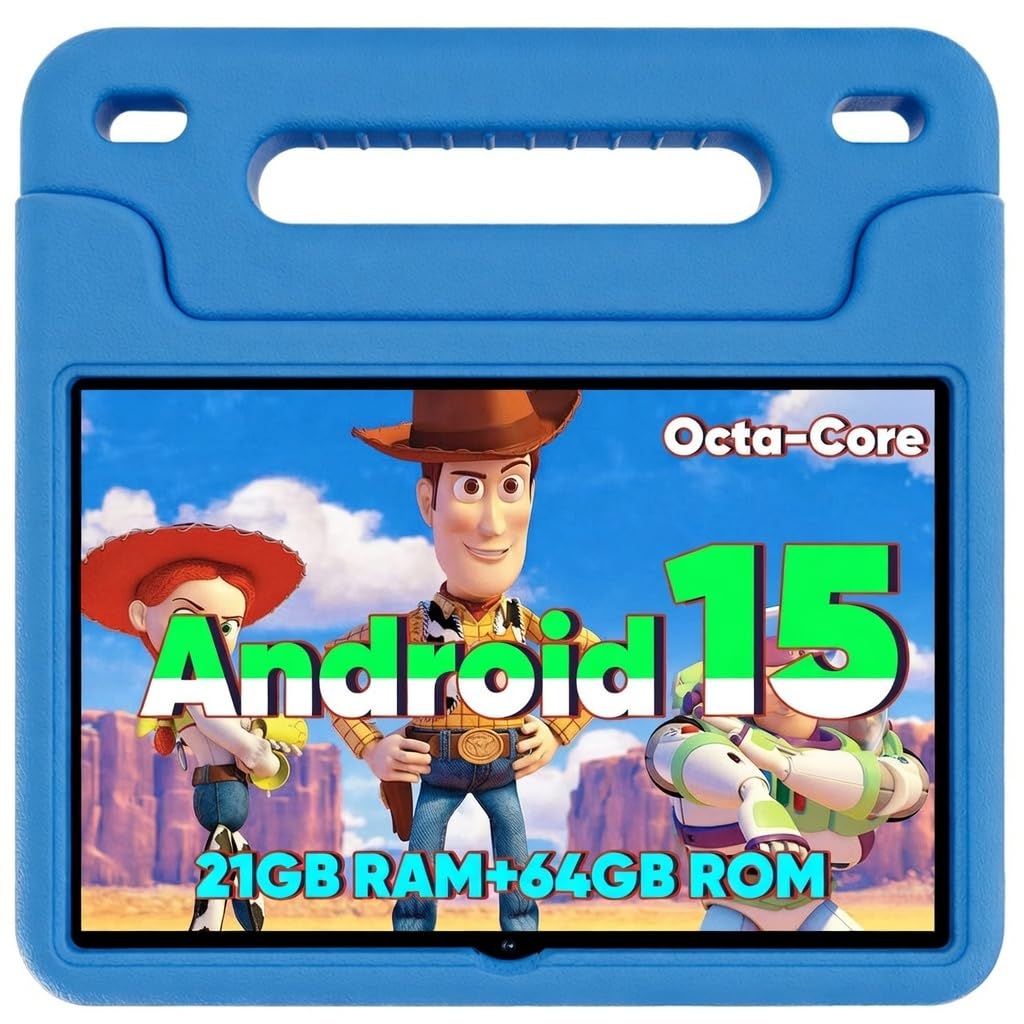
The WXUNJA Android 15 Kids Tablet is built for endurance, featuring a 6000mAh battery that delivers up to 9 hours of continuous video playback. This makes it a top-tier option for long car rides, flights, or days when access to a power outlet is limited. It runs on the latest Android 15, which includes enhanced ad-blocking and security features, and supports 18W PD fast charging to get the battery back up quickly.
The tablet comes with Google Kids Space pre-installed, providing a curated library of educational apps, books, and videos that are recommended by teachers and experts. The included silicone case is durable and features an adjustable stand, making it easy for children to watch content hands-free at the breakfast table or in the car. The 1280×800 IPS display is crisp and includes a low-blue light eye protection mode.
The octa-core processor offers a noticeable performance bump over some budget competitors, but the 3GB of RAM can be a limitation when switching between multiple educational apps. The expandable storage (up to 1TB) is a welcome feature for downloading content. For parents who prioritize battery life above all else, this is a fantastic mid-range contender.
Why it’s great
- Large 6000mAh battery offers long, uninterrupted usage.
- Includes Google Kids Space for a ready-made educational environment.
- 18W PD fast charging gets the tablet back online quickly.
Good to know
- 3GB of RAM may cause stuttering with heavy multitasking.
- Claimed battery life varies significantly with screen brightness and tasks.
6. JIKOCXN Android 16 Kids Tablet
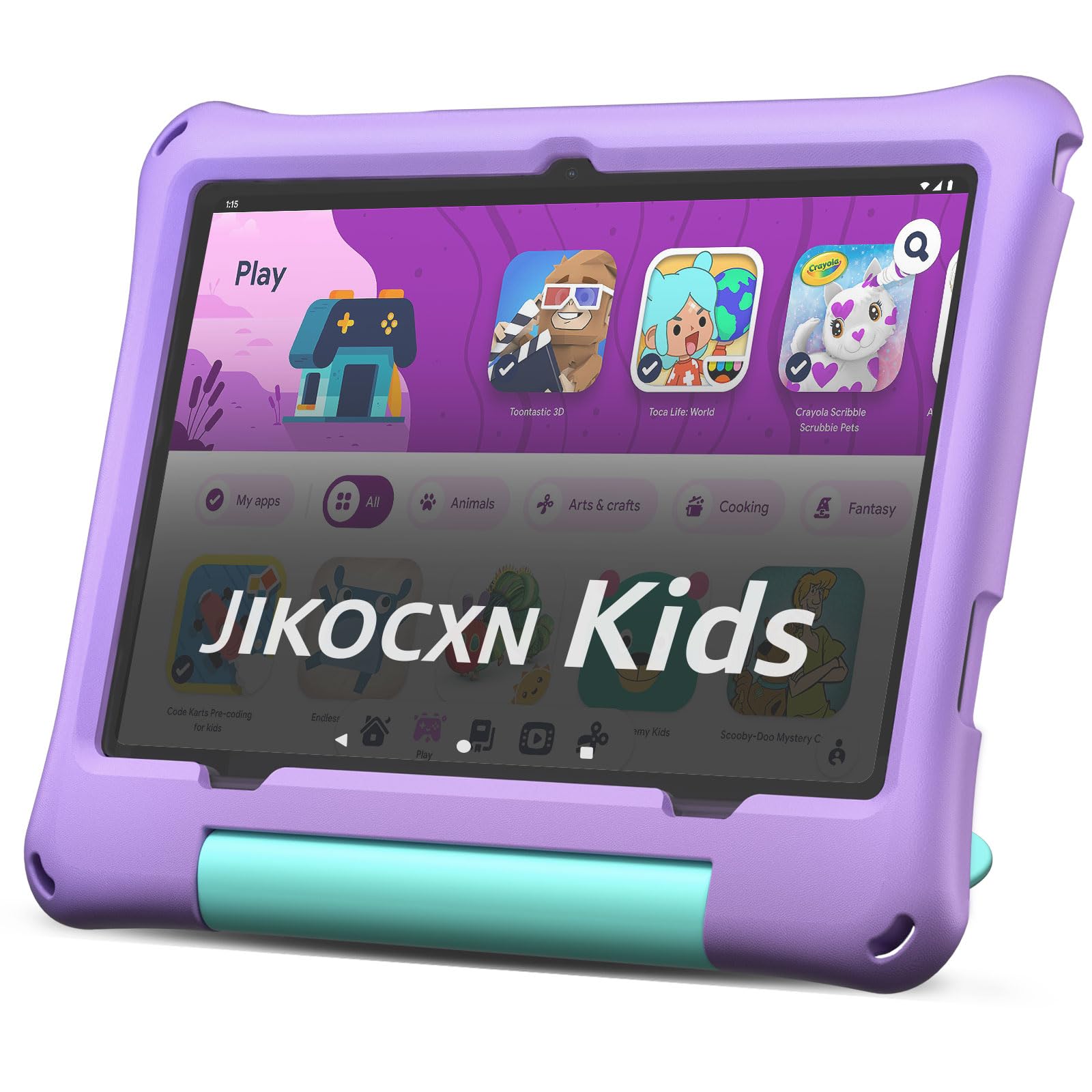
The JIKOCXN Kids Tablet differentiates itself by shipping with the bleeding-edge Android 16 operating system, which promises improved speed, better ad-blocking, and advanced security patches. It also boasts a unique RAM configuration of 24GB (4+20), which is intended to provide a smoother experience when juggling between learning apps, e-books, and casual games. The tablet targets the 6-12 age group with a robust set of features.
The parental control suite is comprehensive, allowing parents to set time limits, create custom child profiles, and approve safe websites and apps. The 10-inch IPS display features low-blue light technology and a one-touch reading mode to reduce eye strain. The included food-grade silicone case offers good drop protection, and the adjustable stand allows for hands-free viewing. The 6000mAh battery provides a solid 8 hours of use, which is competitive for this price tier.
The advertised “24GB RAM” is a software-managed configuration rather than pure hardware, so real-world performance will be closer to a standard 4GB setup. The 64GB internal storage is decent, but the 1TB microSD expansion is a welcome safety net. For parents who want the absolute latest version of Android for their child, the JIKOCXN is a unique and compelling option.
Why it’s great
- Ships with the latest Android 16 OS for up-to-date security.
- Food-grade silicone case is safe and drop-resistant.
- Comprehensive parental control suite with custom profiles.
Good to know
- RAM spec is software-enhanced; raw hardware is less impressive.
- 90-day warranty is shorter than the standard one-year policies.
7. Urao Android 16 Kids Tablet

The Urao Android 16 Kids Tablet focuses on minimizing downtime with its fast-charging technology, which claims to fully recharge the device in just 1.5 hours via the USB-C port. This is a major convenience for families on the go. It runs on Android 16 with an octa-core processor and a 20GB (4+16) RAM configuration, positioning itself as a performance-oriented option for children aged 6-12.
The tablet includes a food-grade silicone case with an adjustable stand, offering solid protection and hands-free viewing options. The 1280×800 IPS display features a professional reading mode that reduces blue light flicker, making it easier on the eyes for long reading sessions. The parental controls are pre-installed and allow for time limits, content filtering, and safe browsing, providing a secure digital environment for exploration.
While the fast charging is a standout feature, the overall battery life is rated at around 6 hours, which is the lower end for this category. The “20GB RAM” is again a software-managed figure, and the raw hardware will perform more like a standard 4GB system. The lifetime technical support is a nice bonus. For parents who value quick recharging over marathon battery life, the Urao is a solid choice.
Why it’s great
- Fast 1.5-hour full charge via USB-C is very convenient.
- Runs the latest Android 16 with a fast octa-core processor.
- Lifetime technical support is offered for peace of mind.
Good to know
- Battery life is shorter than most competitors at ~6 hours.
- RAM spec is software-enhanced; actual hardware performance is lower.
FAQ
What is the difference between Amazon Kids+ and Google Kids Space?
Is a 7-inch screen too small for a 6-year-old?
Can I install regular Android apps on a kid’s tablet?
How important is a “kid-proof” case?
What does a “worry-free guarantee” actually cover?
Final Thoughts: The Verdict
For most users, the best learning tablet for kids winner is the Amazon Fire HD 10 Kids Pro because it offers the best balance of a large, high-quality display, a robust parental control system, a massive content library, and a 2-year worry-free guarantee for a premium price. If you want a dedicated device for a younger child (ages 3-7) and absolute peace of mind regarding breakage, grab the Amazon Fire 7 Kids. And for a versatile, full-Android family tablet that will grow with your child and has a superior display, nothing beats the Samsung Galaxy Tab A8.