The problem is that most tablets marketed to adults are fragile, lack robust parental controls, and offer zero educational guardrails. Finding the right one means balancing a shatter-resistant build, a curated app library, and screen-time limits that actually work.
I’m Emma — the founder and writer behind Baby Bangs. I’ve spent years analyzing the specs that matter for young learners: processor speed for lag-free drawing apps, battery life for road trips, and the difference between a basic shockproof case and one that survives a stair tumble.
This guide breaks down the seven best performers on the market right now. Whatever your budget or your child’s age, you will finish with a clear pick for the best kids learning tablet that fits your family’s daily rhythm.
How To Choose The Best Kids Learning Tablet
A kids tablet is not a shrunken adult tablet. The buying criteria shift completely when the user is a toddler or early-grade student who may drop the device three times before breakfast. Focus on four non-negotiable pillars: physical durability, educational content curation, parental control granularity, and battery endurance for untethered play.
Physical Durability and Case Design
The case is the single most important hardware feature. A tablet without a kid-proof bumper is a repair bill waiting to happen. Look for cases made of soft silicone or EVA foam that wraps around all corners and includes a built-in kickstand. The Contixo and PRITOM models use impact-resistant bumpers that absorb drops from table height. The LeapFrog Leappad Academy adds a removable silicone bumper with a stylus holder — a detail that prevents the stylus from becoming a lost accessory.
Parental Controls and Content Filtering
Not all parental control systems are equal. Amazon’s Fire OS offers the most granular time limits, bedtime windows, and content age-gating via the Amazon Parent Dashboard. Android-based tablets like the ZZB and PRITOM rely on third-party launchers (iWawa or Yubabe) that filter app access and limit screen time. The key spec to check is whether the controls require a separate paid subscription — the Fire HD 10 Kids Pro includes a full year of Amazon Kids+ content free, while the entry-level PRITOM gives you the iWawa launcher at no extra cost.
Screen Size and Eye Comfort
Seven-inch screens are perfect for small hands and car travel but can feel cramped for tracing letters or watching educational videos. Ten-inch models (ZZB, Fire HD 10 Kids Pro) offer more immersive learning space but are heavier for a preschooler to hold. Look for tablets with blue-light filtering or automatic brightness adjustment. The Topelotek tablet includes a rotating bracelet on the back that adjusts viewing angle — a small ergonomic win for long sessions.
Battery Life for Real-World Use
A dead tablet at the start of a road trip is a recipe for meltdowns. Battery capacity measured in milliamp-hours (mAh) is the spec to watch. The ZZB tablet packs a 6000mAh battery that delivers over 7 hours of mixed use. The Amazon Fire 7 Kids tablet offers a 10-hour battery life despite a smaller capacity thanks to its optimized Fire OS. The LeapFrog Academy lags at 5 hours — fine for a weekend afternoon, but short for a full day of travel.
Quick Comparison
On smaller screens, swipe sideways to see the full table.
| Model | Category | Best For | Key Spec | Amazon |
|---|---|---|---|---|
| Amazon Fire HD 10 Kids Pro | Premium | Older kids (ages 6-12) | 13-hour battery, 10.1″ HD | Amazon |
| LeapFrog LeapPad Academy | Premium | Early learning focus (ages 3-8) | 20 LeapFrog apps + browser | Amazon |
| Amazon Fire 7 Kids | Premium | Best all-rounder for ages 3-7 | 10-hr battery, parental dashboard | Amazon |
| ZZB 10 Inch Kids Tablet | Mid-Range | Big screen on a budget | 6000mAh, 8GB RAM | Amazon |
| Contixo 7 Inch Kids Tablet | Mid-Range | Pre-loaded educational games | 14+ learning apps, 32GB | Amazon |
| PRITOM K7 Pro | Entry-Level | Budget-friendly starter | iWawa launcher, 4GB RAM | Amazon |
| Topelotek Kids Tablet | Entry-Level | First tablet for toddlers | Detachable case, 3500mAh | Amazon |
In‑Depth Reviews
1. Amazon Fire HD 10 Kids Pro
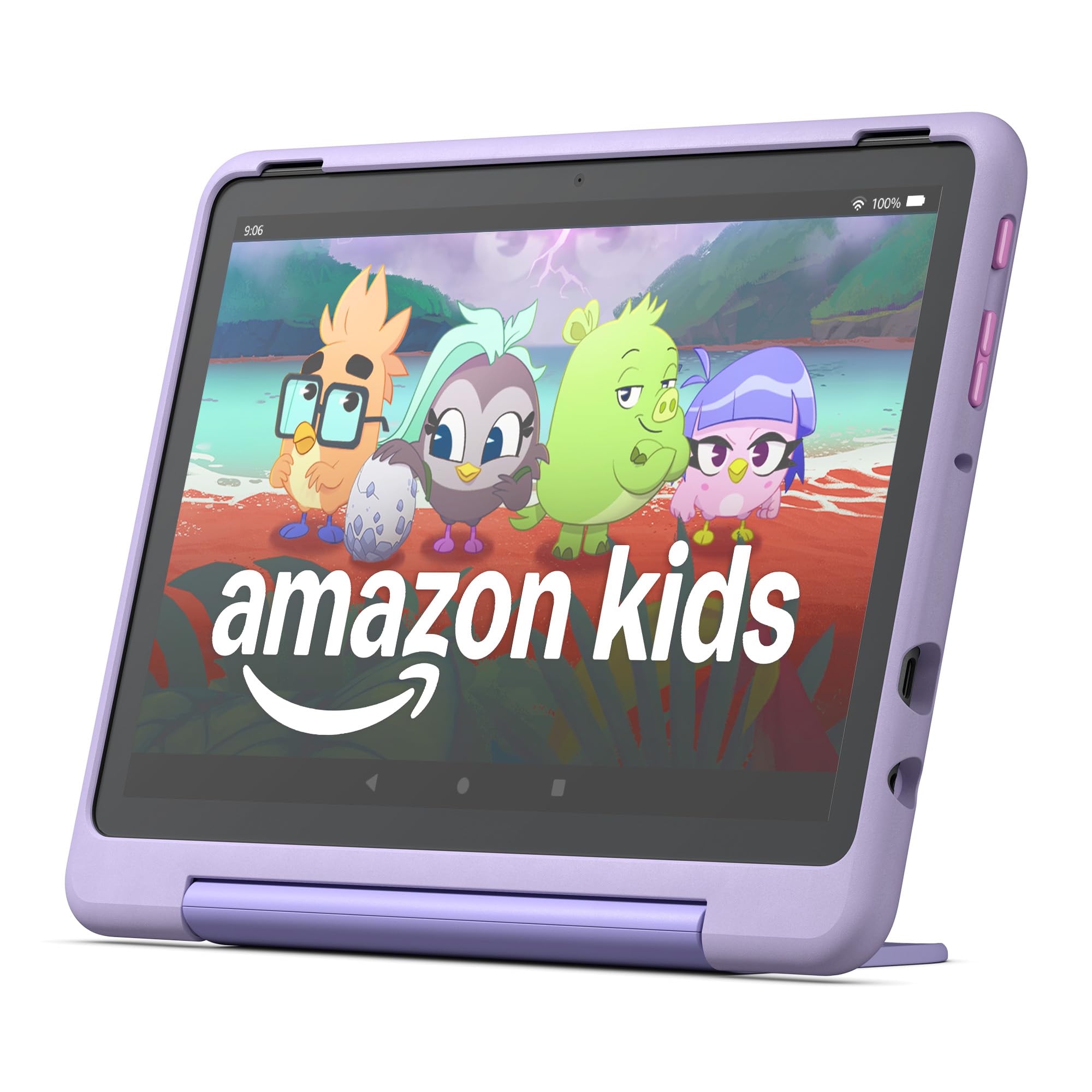
The Amazon Fire HD 10 Kids Pro is the most complete package for families with kids aged 6 to 12. The 10.1-inch 1080p display gives enough real estate for split-screen learning apps while the slim case (designed for older children) still protects against drops from desk height. The 32GB storage can be expanded via microSD, so you are not fighting for space with downloaded episodes and app updates.
Amazon’s parental control dashboard is the deepest in this lineup. You set daily time limits, educational goals (finish a math lesson before games unlock), and a bedtime window that locks the screen automatically. The included one-year Amazon Kids+ subscription removes ads across thousands of books, shows, and apps — a value add that offsets the higher upfront cost versus the Fire 7 Kids.
Battery life hits 13 hours in real-world mixed use, which covers back-to-back flights or a full school week of afternoons. The 2MP front camera and 5MP rear camera are adequate for video calls with grandparents but not for serious photography. The Fire HD 10 Kids Pro earns the top spot because it scales from learning reinforcement to pure entertainment without requiring constant parental hand-holding.
Why it’s great
- Best-in-class battery life at 13 hours
- Amazon Kids+ subscription included for one year
- Slim, protective case designed for older kids
Good to know
- Higher price point than 7-inch alternatives
- Fire OS does not support full Google Play Store
2. LeapFrog LeapPad Academy

The LeapFrog LeapPad Academy is built from the ground up for early childhood education, not repurposed from an adult tablet. It ships with 20 pre-loaded apps designed by LeapFrog’s learning experts, covering phonics, mathematics, and creativity tools. The LeapSearch browser keeps web access within a curated kid-friendly garden, so you do not have to worry about YouTube wanderings.
Hardware includes a 7-inch 1024×600 display, a removable silicone bumper with a built-in kickstand, and a stylus that fits into the case’s slot. The 1.5GHz processor handles the educational suite smoothly, though loading third-party Android apps from the LeapFrog App Center is slower than the Fire ecosystem. The 2500mAh battery delivers about 5 hours of use — noticeably shorter than the Amazon rivals, which means keeping the charger handy for long days.
The free three-month trial of LeapFrog Academy gives you a structured learning progression that adapts difficulty as your child improves. For parents who want a dedicated learning tool rather than a general tablet, the LeapPad Academy is the purest educational option here. Its main trade-off is a shorter battery life and a smaller app library compared to the Fire HD 10 Kids Pro.
Why it’s great
- 20 educator-designed apps pre-loaded
- Kid-safe LeapSearch browser included
- Stylus and protective bumper included
Good to know
- Only 5 hours of battery life
- Third-party app selection is limited
3. Amazon Fire 7 Kids Tablet
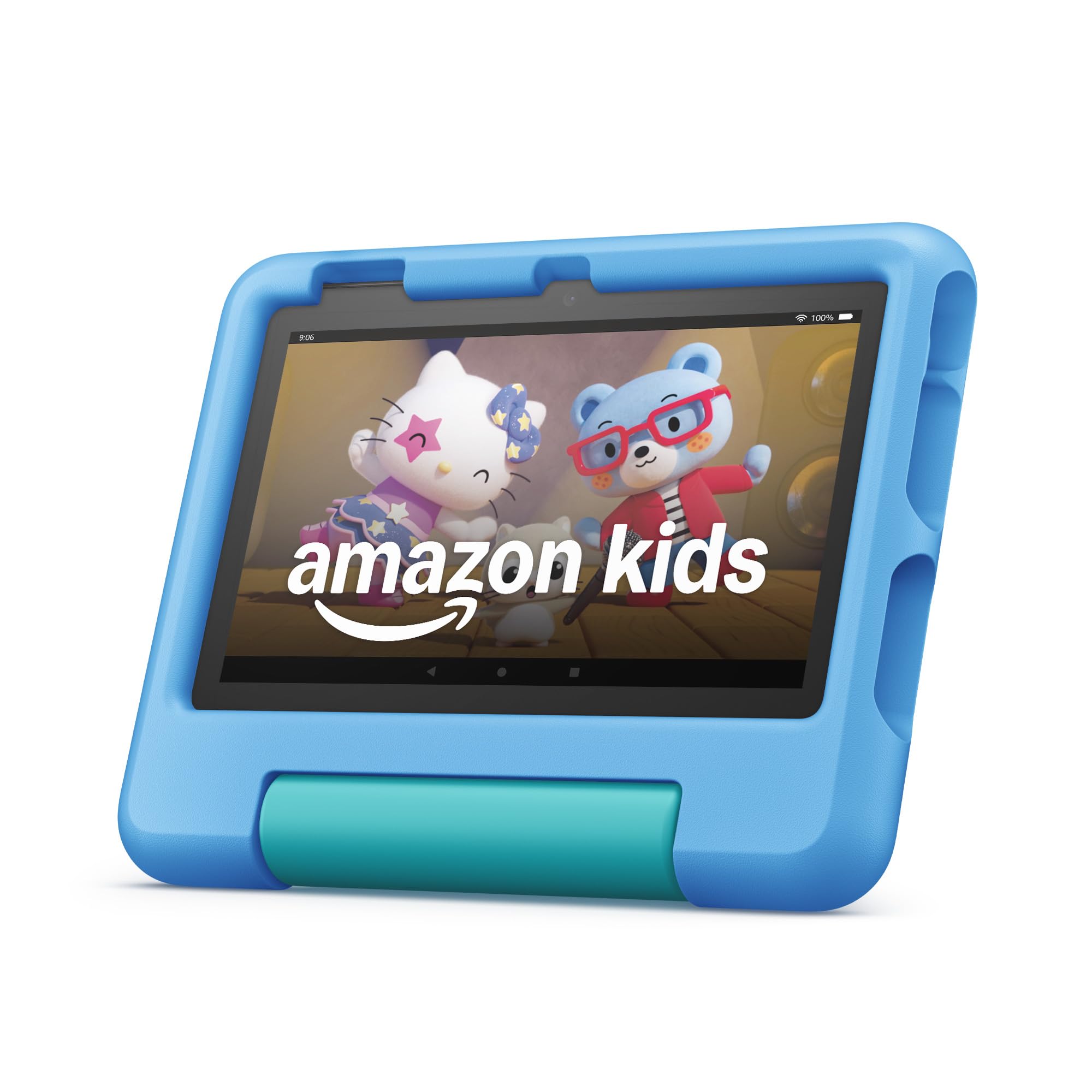
The Amazon Fire 7 Kids tablet is the most popular kids tablet on Amazon for good reason. It packs the same parental control architecture as its larger sibling but in a smaller, lighter 7-inch frame that fits comfortably in preschool hands. The 10-hour battery life matches or exceeds most rivals, and the included kid-proof case is thick enough to survive multiple tumbles without cracking the bezel.
Performance is driven by a quad-core processor and 16GB of internal storage — enough for dozens of apps and a few downloaded shows, but you will want a microSD card if your child binge-watches Bluey. The 1024×600 resolution is fine for reading apps and video streaming, though the lower pixel density becomes noticeable on text-heavy screens compared to the Fire HD 10.
Amazon Kids+ (six months included) provides a rotating library of ad-free content. The parental dashboard lets you pause the tablet remotely, set content filters by age, and view activity reports. This tablet is the safest bet for a first device: it is affordable, durable, and Amazon’s ecosystem is the most comprehensive for kid-safe content curation.
Why it’s great
- Proven durability with kid-proof case
- 10-hour battery covers full-day trips
- Amazon Kids+ parental control is best in class
Good to know
- 16GB storage fills up quickly
- No Google Play Store access
4. ZZB 10 Inch Kids Tablet
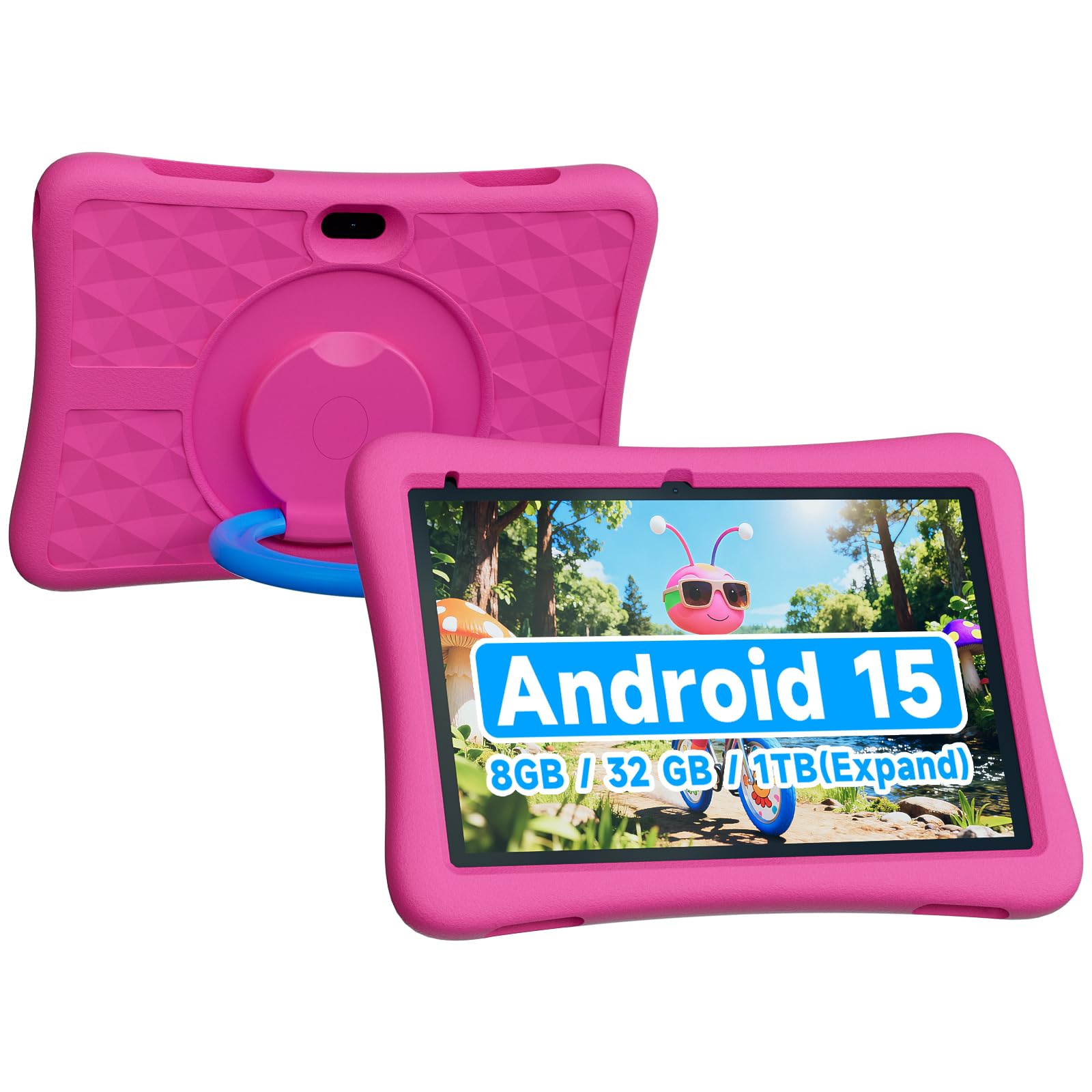
The ZZB 10 Inch Kids Tablet is the big-screen champion of the mid-range tier. The 10.1-inch 1280×800 IPS display offers significantly more workspace for interactive learning apps, drawing programs, and split-screen video calls with family. The 6000mAh battery is the largest in this lineup, delivering over 7 hours of use even with the larger screen drawing power.
Under the hood, you get 8GB of RAM (3GB physical plus 5GB virtual expansion) and 32GB of storage expandable to 1TB via microSD — enough to turn this into a portable movie library. The Android 15 operating system gives access to the full Google Play Store, which means you are not limited to a curated store. This is a double-edged sword: you get every app in the world, but you must rely on third-party launcher controls to filter content.
The EVA protective case is thick and rugged, featuring a built-in kickstand and corner bumpers that absorb shock from table-height drops. The 8MP rear camera is the best in this price bracket, capable of capturing decent homework photos or short videos. If your child needs a large screen for learning and you want full Android flexibility, the ZZB offers the most hardware per dollar.
Why it’s great
- Huge 6000mAh battery for long sessions
- 8GB RAM handles multitasking smoothly
- Full Google Play Store access
Good to know
- Parental controls are third-party, not native
- Heavier than 7-inch models
5. Contixo 7 Inch Kids Tablet
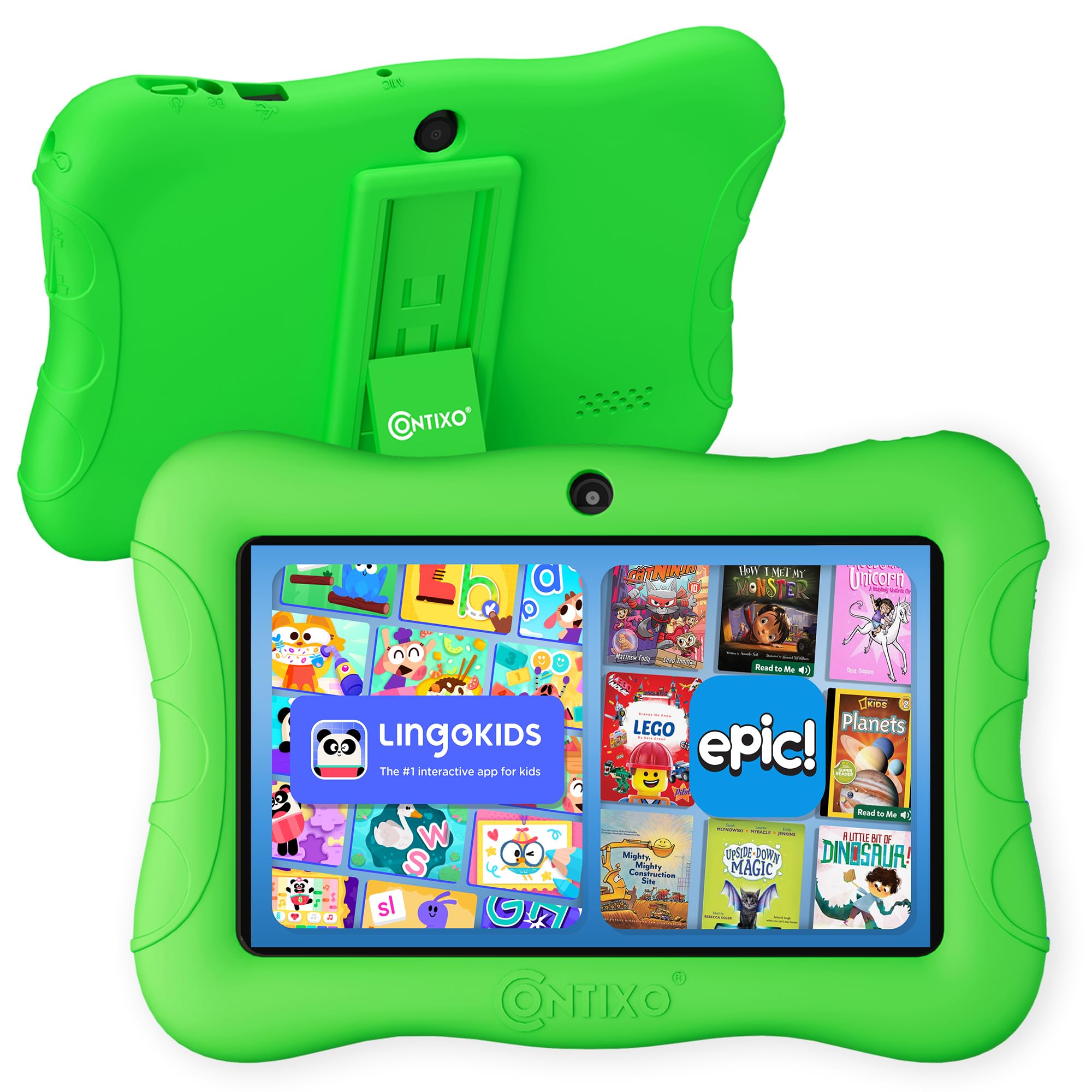
The Contixo 7 Inch Kids Tablet distinguishes itself with 14+ pre-loaded learning apps covering math, reading, coding, and music — all educator-approved for pre-K through 3rd grade. The Android 11 Go operating system keeps performance light on the quad-core 1.6GHz processor, and the 7-inch shatter-safe HD display includes a three-layer screen protector to guard against scratches and impacts.
Storage starts at 32GB and expands to 128GB via microSD, which is solid for a mid-range tablet. The 3100mAh battery delivers about 6 hours of mixed use, landing in the middle of the pack — enough for a school day but not for cross-country flights. The parental control panel allows custom profiles per child, letting you adjust screen time, app permissions, and educational goals as your child grows.
The included protective case and kickstand are well-made, with a textured grip that helps small hands hold the tablet securely. The bilingual support (189 language settings) is a bonus for multilingual households. The Contixo is a smart middle-ground pick for parents who want pre-loaded educational content without subscribing to a content service.
Why it’s great
- 14+ educator-approved apps pre-installed
- Three-layer screen protector included
- Customizable child profiles
Good to know
- Battery life is average at 6 hours
- Android 11 Go limits heavy app performance
6. PRITOM K7 Pro Kids Tablet

The PRITOM K7 Pro is a capable entry-level tablet that does not skimp on the educational layer. It runs Android 13 with the iWawa kid launcher pre-installed, providing a curated interface with apps for learning animals, fruit recognition, drawing, and early math. The 7-inch 1024×600 IPS display is bright enough for indoor use, and the quad-core processor handles the iWawa apps without stutter.
Storage is 32GB (expandable via microSD) paired with 4GB RAM, which is generous at this tier. The battery life is decent, though the exact capacity is not listed in the specs — expect roughly 5-6 hours of mixed use. The kid-proof case uses soft silicone and includes a stand function, freeing small hands during video watching. The parental controls allow time limits, content filtering, and app management through the iWawa dashboard.
The 1-year worry-free guarantee is a confidence booster for parents nervous about their first purchase. For a family testing the waters of digital learning on a tight budget, the PRITOM K7 Pro delivers a safe, age-appropriate experience without the frills of the premium Amazon ecosystem.
Why it’s great
- Great entry-level price with solid specs
- iWawa launcher provides safe environment
- 1-year replacement warranty included
Good to know
- Battery life is shorter than premium rivals
- App store has fewer curated titles than Amazon
7. Topelotek Kids Tablet
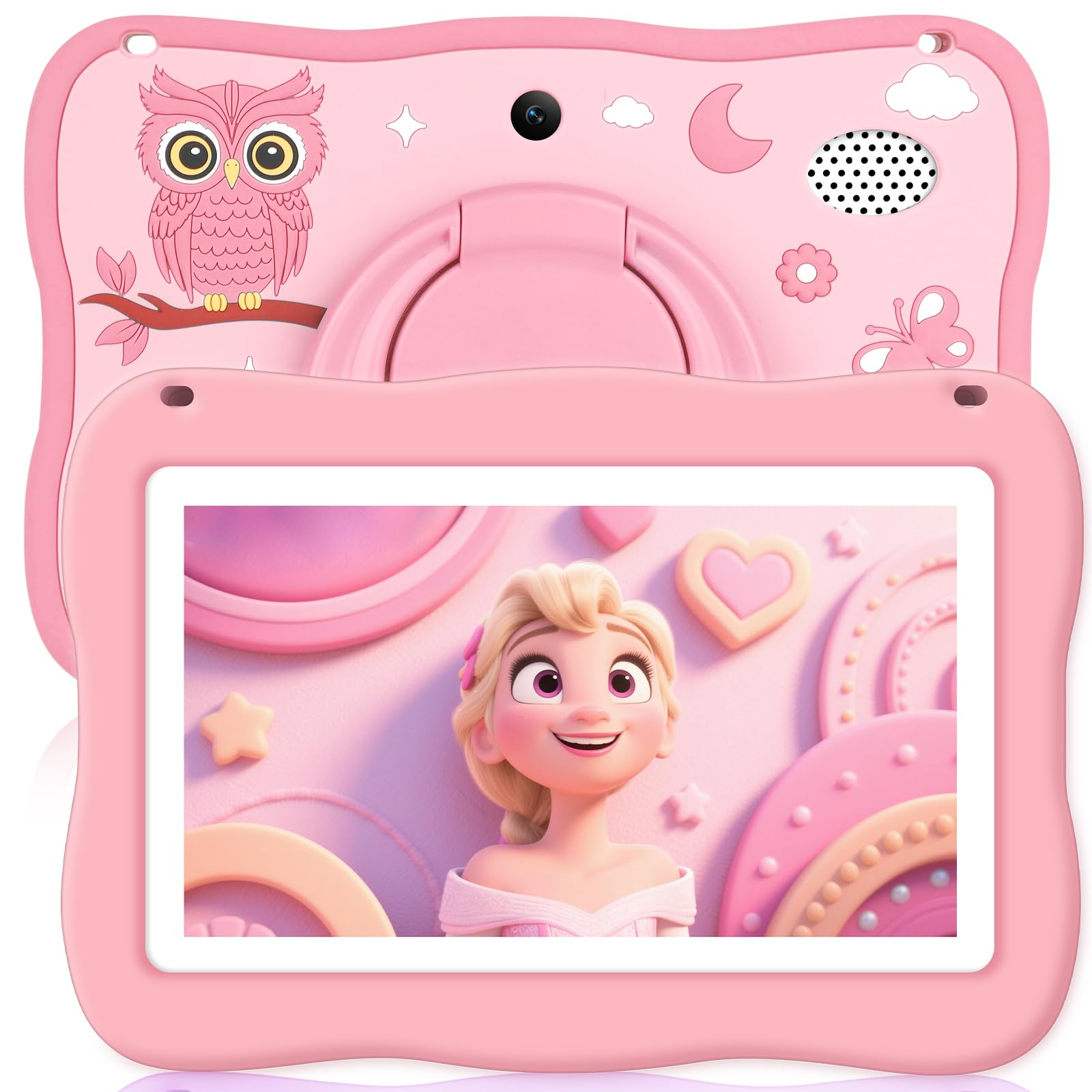
The Topelotek Kids Tablet is designed specifically for toddlers aged 2-4, with a focus on simplicity and physical durability. The detachable shockproof case features a rotating bracelet on the back that doubles as a handle or kickstand, making it easy for tiny hands to grip and carry. The 7-inch HD IPS display includes automatic brightness adjustment to protect developing eyes during long sessions.
The pre-loaded Yubabe software provides age-appropriate content including Montessori-style activities, first learning games, brain training, and arts & crafts. All of it works offline, which is a major plus for car rides or areas without Wi-Fi. The 3500mAh battery claims about 8 hours of life, though real-world toddler use (intermittent tapping plus video) averages closer to 6 hours.
Parental controls are straightforward: set time limits, content filters, and create separate profiles for siblings. The tablet lacks the app library depth of the Fire or LeapFrog options, but that is by design — less choice means less distraction for a 3-year-old. If you need a rugged, no-fuss tablet for a toddler who is not ready for the full internet, the Topelotek is a solid, affordable choice.
Why it’s great
- Rotating handle case is perfect for toddlers
- Offline educational apps included
- Auto brightness protects young eyes
Good to know
- Limited app library compared to rivals
- Average build quality on the bumper
FAQ
Can I install Google Play Store apps on a kids learning tablet?
What is the difference between Amazon Kids+ and a pre-loaded app launcher?
How do I clean a toddler’s tablet without damaging the screen?
Can a kids tablet replace a school-issued Chromebook for homework?
Final Thoughts: The Verdict
For most users, the best kids learning tablet winner is the Amazon Fire HD 10 Kids Pro because it combines a large 10.1-inch screen, 13-hour battery, and the best parental control system in the category. If you want a dedicated early-learning tool without screen-time battles, grab the LeapFrog LeapPad Academy. And for a budget-friendly starter tablet that still offers full Google Play access, nothing beats the PRITOM K7 Pro.