A three-year-old’s brain is a sponge, but handing them a full-blown smartphone or a poorly designed electronic toy can lead to frustration, short attention spans, and accidental app purchases. The solution isn’t just any tablet—it’s a device that locks in educational value while surviving the inevitable drop. These picks fuse physical durability with curated learning content designed specifically for preschool minds.
I’m Emma — the founder and writer behind Baby Bangs. I’ve spent years analyzing children’s educational hardware, comparing toddler-specific operating systems, build materials, and parental control ecosystems to find the safest, most effective options for early development.
Whether you want a screen-free audio book system or a full Android tablet with strict guardrails, this guide breaks down the best learning tablets for 3 year olds based on real safety standards, engagement features, and durability specs.
How To Choose The Best Learning Tablets For 3 Year Olds
Selecting a tablet for a three-year-old is a balancing act between interactive education and screen safety. At this age, content quality, physical durability, and parental oversight are more critical than raw performance specs. Shiny screens with no learning guardrails can turn into passive entertainment devices, which is the opposite of what a developing mind needs.
Prioritize Drop Protection and a Kid-Proof Case
A three-year-old lacks fine motor control. The device must survive being tossed off a couch, dropped on a hardwood floor, or used as a step stool. Look for included kid-proof cases made of food-grade silicone or thick ABS frames. Bonus points for a manufacturer that offers a worry-free replacement guarantee—nothing beats the peace of mind of a free swap if it breaks.
Evaluate the Parental Control Ecosystem
Not all parental controls are created equal. Some systems let you set time limits and block categories; others allow you to approve every single app and website. For a three-year-old, you need the ability to lock the device into a specific app or set of activities without the child being able to exit. Pre-installed kid-safe operating systems that block ads and prevent accidental in-app purchases are also a must.
Choose Content Delivery: Physical Cards vs. Digital Apps
Screen-free learning tablets use physical flash cards or book pages that a stylus reads aloud. This tactile approach develops fine motor skills and eliminates the risk of passive video consumption. Digital tablets, on the other hand, offer broader variety through apps and streaming, but require stricter time management. Decide whether your priority is sensory play or a versatile skill-building platform.
Check for Eye-Protection Display Technology
If you choose a digital screen, ensure it features low blue light technology or a certified eye-protection mode. A 10-inch HD display with a high pixel density (around 1280×800 or better) reduces strain during longer reading or drawing sessions. Avoid devices that lack any form of blue light filtering, as prolonged exposure can disrupt sleep patterns in young children.
Quick Comparison
On smaller screens, swipe sideways to see the full table.
| Model | Category | Best For | Key Spec | Amazon |
|---|---|---|---|---|
| Amazon Fire HD 10 Kids | Premium Digital | Best Overall Performance | 13-hr battery, 10.1″ 1080p display | Amazon |
| Amazon Fire 7 Kids | Mid-Range Digital | Portable & Reliable | 10-hr battery, 2-year replacement guarantee | Amazon |
| JIKOCXN Kids Tablet | Premium Digital | High Storage & RAM | 24GB RAM, 64GB ROM, 1TB expandable | Amazon |
| YINOCHE Kids Tablet | Mid-Range Digital | Budget Android Tablet | 10.1″ HD, 5000mAh battery | Amazon |
| VTech Explore and Write Desk | Screen-Free Desk | Interactive Writing Practice | Stylus with guided lights, easel mode | Amazon |
| Think Academy Learning Pad | Screen-Free Flash Card | Screen-Free Card System | 3 play modes, 160+ pages of cards | Amazon |
| KOKODI Talking Pen Books | Screen-Free Audio Book | Budget Audio Learning | 1,500+ pronunciations, 22 themes | Amazon |
In‑Depth Reviews
1. Amazon Fire HD 10 Kids tablet

The Fire HD 10 Kids is the gold standard for digital learning tablets aimed at ages 3-7. Its 10.1-inch 1080p Full HD display delivers vibrant colors and sharp text, which makes reading interactive e-books and watching educational videos a pleasure. The 3 GB of RAM ensures apps load quickly, and the 13-hour battery life easily outlasts a full day of road trips or quiet time at home. The included kid-proof case is thick enough to absorb drops from table height without cracking the screen.
What sets this model apart is the robust parental control dashboard accessible from your phone. You can set daily time limits, pause the device remotely, and approve each app download request. The 1-year subscription to Amazon Kids+ gives access to thousands of ad-free books, STEM games, and videos from trusted brands like Disney and PBS Kids, making it a curated content ecosystem rather than a blank slate of distractions.
The 2-year worry-free guarantee is a standout safety net—if the tablet breaks during normal use, Amazon replaces it for free. With 32 GB of internal storage and support for up to 1 TB of microSD expandable storage, there’s plenty of room for offline content. The only consideration is that the full Amazon Kids+ subscription renews after the first year, but the basic experience remains solid without it.
Why it’s great
- Vivid 1080p screen reduces eye strain with auto blue light filter
- 13-hour battery handles long travel days without recharging
- 2-year replacement guarantee offers unmatched peace of mind
Good to know
- Amazon Kids+ subscription has a recurring fee after the free year
- Heavier than some competitors at just over a pound
2. Amazon Fire 7 Kids tablet

The Fire 7 Kids is the smaller, more portable sibling of the Fire HD 10, designed specifically for tiny hands and on-the-go learning. The 7-inch screen is easier for a three-year-old to grip and manipulate, and the kid-proof case adds negligible bulk. With 10 hours of battery life, it’s perfectly suited for car rides and waiting rooms. The 16 GB or 32 GB internal storage options (plus microSD expansion up to 1 TB) ensure you can load plenty of offline content before heading out.
Parental controls mirror the premium Fire HD 10 experience: you can set daily learning goals, filter content by age, and grant access to streaming services like Netflix and Disney+ through a simple dashboard. The 6-month Amazon Kids+ subscription includes ad-free books and interactive games, and the 2-year worry-free guarantee applies here too, which dramatically reduces the cost of a toddler’s accidental drop.
The trade-off is the lower resolution display—it’s not as crisp as the HD 10, and the processor is slower for graphic-heavy apps. However, for a three-year-old who is primarily using simple puzzle games, drawing apps, and read-along stories, the performance is more than sufficient. The compact form factor also makes it easier to pack in a diaper bag without taking up space.
Why it’s great
- Lightweight 7-inch design fits small hands and small bags
- Free 2-year replacement covers drops and spills
- Robust parental dashboard with learning goal setting
Good to know
- Lower screen resolution compared to premium models
- Shorter battery life than the Fire HD 10
3. JIKOCXN Kids Tablet
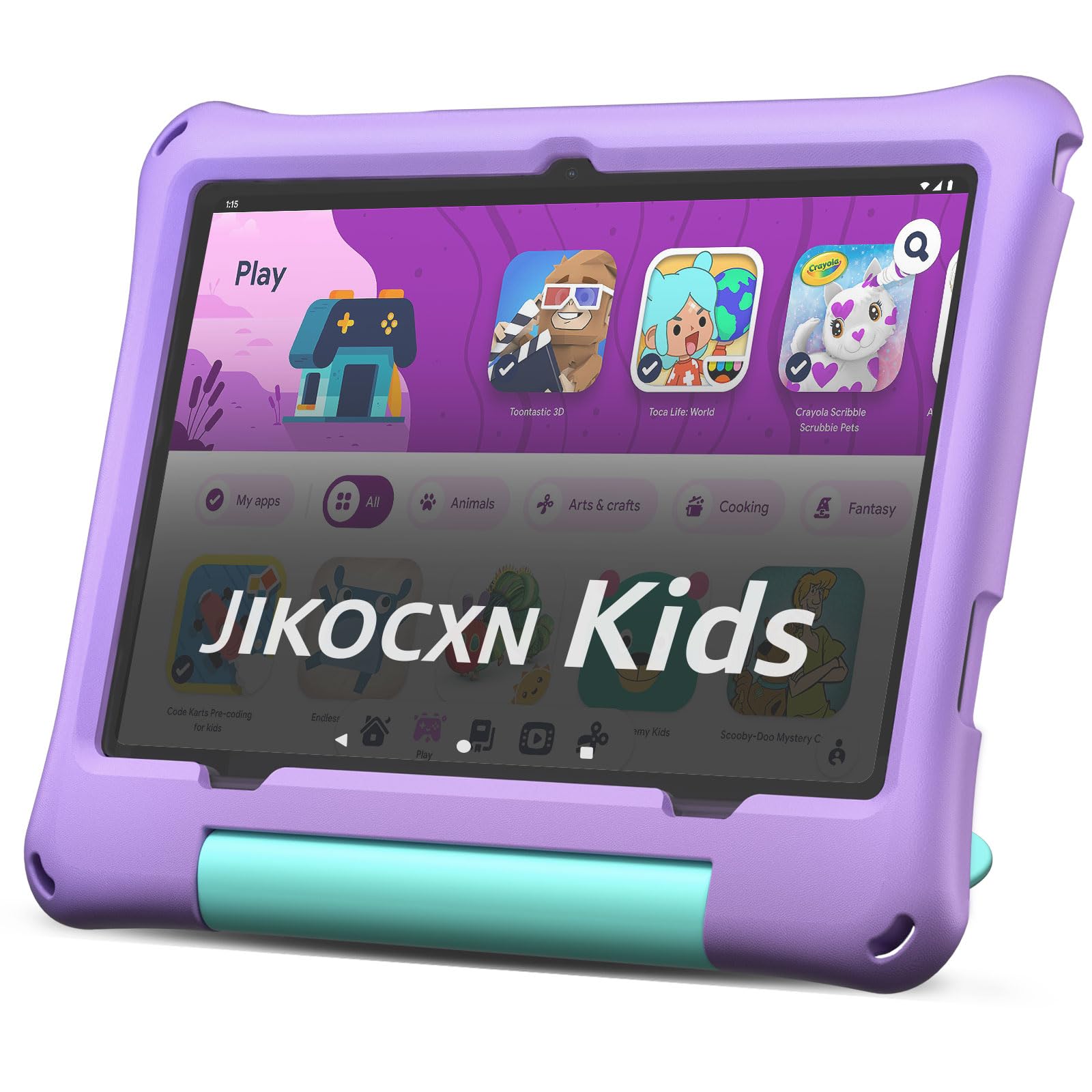
The JIKOCXN Kids Tablet packs serious hardware for a children’s device. With 24 GB of RAM (4 GB physical + 20 GB virtual) and a 64 GB ROM, it handles multiple educational apps running simultaneously without lag. The Android 16 OS blocks unwanted ads, which is a huge relief for parents tired of surprise pop-ups. Its 10-inch IPS HD display with 1280×800 resolution and low blue light technology reduces eye fatigue during extended use.
This tablet comes with a food-grade silicone case rated for drops up to 1.6 meters, and a front 5 MP / rear 8 MP camera setup suitable for video calls with grandparents. The 6000 mAh battery delivers over 8 hours of mixed usage, and USB-C fast charging brings it from empty to full in about 2 hours—far faster than many competing tablets. The full Google Play Store access means you can install any approved educational app, making it a flexible platform.
The pre-installed parental controls let you create custom child profiles with specific time limits and app restrictions, though the interface is slightly less intuitive than Amazon’s offering. The lack of a standard kid-friendly content subscription is noticeable—you’ll need to curate the app library yourself. Still, for tech-savvy parents who want the raw performance to future-proof the device for a few years, this is a strong contender.
Why it’s great
- Massive 24GB RAM and 64GB ROM for smooth multitasking
- Fast USB-C charging fully tops up in 2 hours
- Drop-proof silicone case handles 1.6-meter falls
Good to know
- Parental control interface is less polished than Amazon’s
- No built-in curated content subscription
4. YINOCHE Kids Tablet
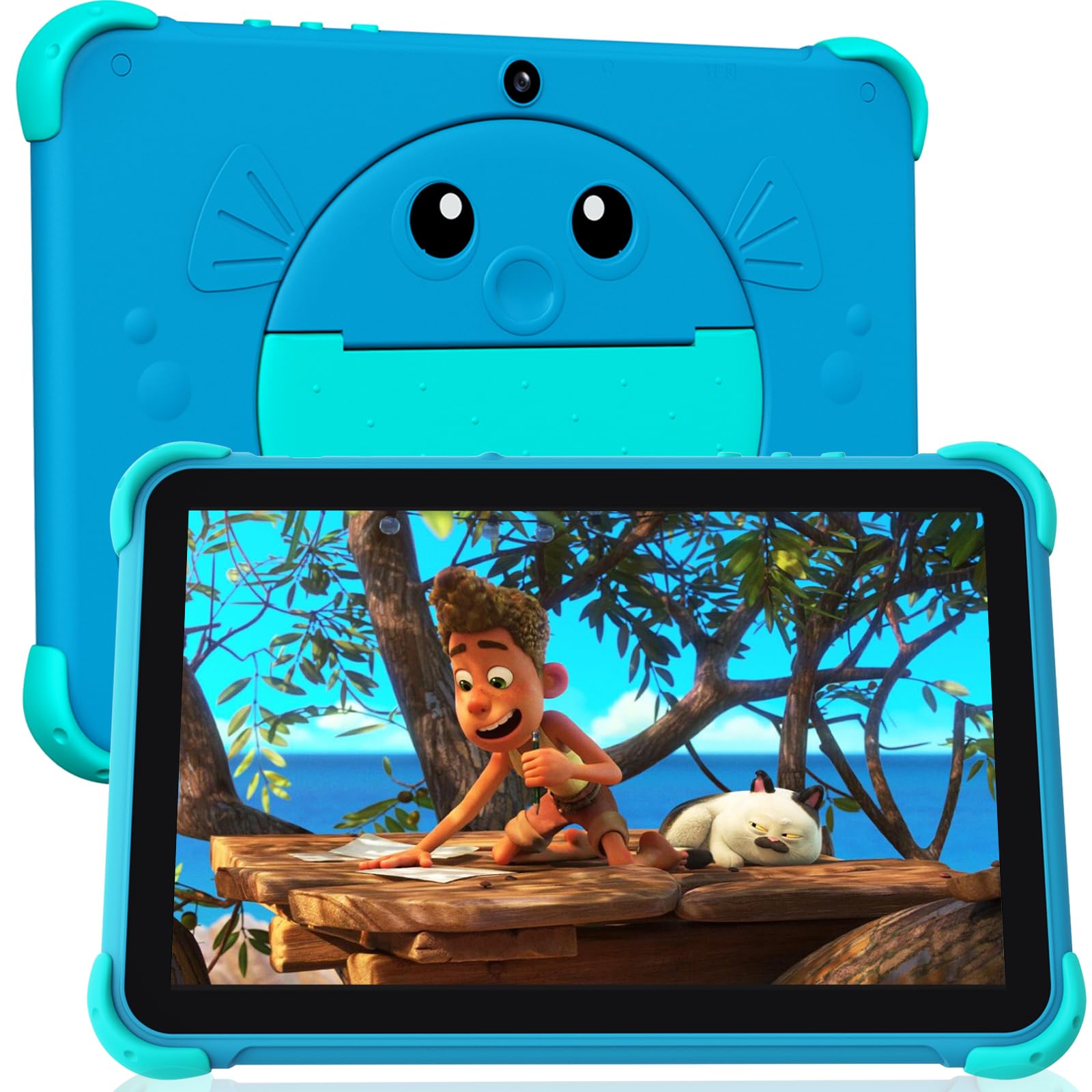
The YINOCHE Kids Tablet offers a strong entry point into the world of digital learning tablets without sacrificing essential features. The 10.1-inch HD display features low blue light technology to protect young eyes, and the included kid-proof case provides adequate drop protection. The pre-loaded Yubabe kid app offers a collection of offline games, videos, and eBooks that work without Wi-Fi, which is handy for travel.
Powered by a 2.0 GHz dual-core processor with 2 GB RAM and 32 GB storage (expandable via microSD up to 1 TB), the tablet runs the latest Android OS with an ad-free experience. The 5000 mAh battery delivers up to 10 hours of active use, and the device supports standard Google Play Store downloads for apps like Netflix and YouTube Kids. Parental controls are straightforward, allowing you to set screen time limits and block inappropriate content per child profile.
The main trade-off is the dual-core processor, which can struggle with graphic-intensive applications compared to octa-core competitors. It also lacks a branded replacement guarantee, so the case’s durability is your only drop protection. For families on a budget who still want a large screen and solid Android access, this tablet provides good value without many compromises.
Why it’s great
- Large 10.1-inch HD screen with blue light filter
- Pre-loaded Yubabe app offers offline educational content
- Full Google Play Store access for app flexibility
Good to know
- Dual-core processor lags on heavy apps
- No manufacturer drop replacement guarantee
5. VTech Explore and Write Deluxe Activity Desk
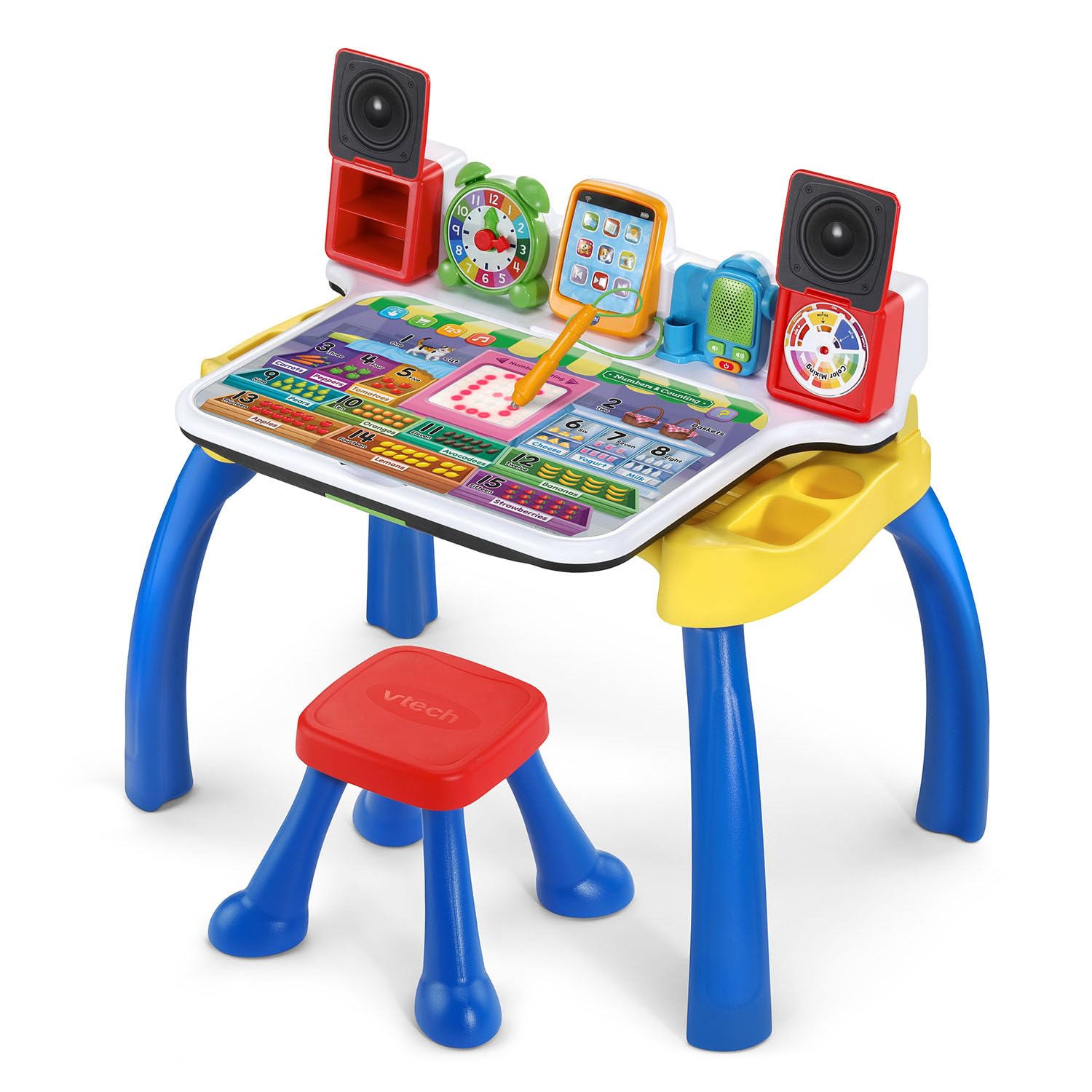
The VTech Explore and Write Activity Desk is not a handheld tablet—it’s a full desk system that transforms into an easel and chalkboard, making it a unique screen-free alternative. The guided writing pad uses lights to show proper letter and number formation, and the included stylus provides a tactile practice experience that builds fine motor skills. Five double-sided activity pages cover letters, writing, numbers, music, and emotions through interactive games and sound prompts.
The desk flips up to become an easel for drawing, and the built-in toy tablet, pretend clock, and music player extend the play value. The fold-down design means it stores relatively compactly, though it requires some assembly. The included stool supports up to 75 pounds, so it will last through the preschool years. The 4 AA batteries power the interactive electronics, and the frustration-free packaging reduces waste.
For a three-year-old, this desk provides a structured learning environment that encourages sitting still and focusing on a task—skills that are essential for kindergarten readiness. The touch-and-learn response is immediate and forgiving, reducing frustration. The only drawback is the lack of a digital screen for video content, so it won’t double as a movie player, but its educational focus is laser-sharp.
Why it’s great
- Guided stylus with lights teaches proper writing technique
- Transforms into an easel and chalkboard for creative play
- Sturdy desk build supports up to 75 pounds
Good to know
- Requires assembly, stool included but needs setup
- Runs on 4 AA batteries, not included
6. Think Academy Learning Pad
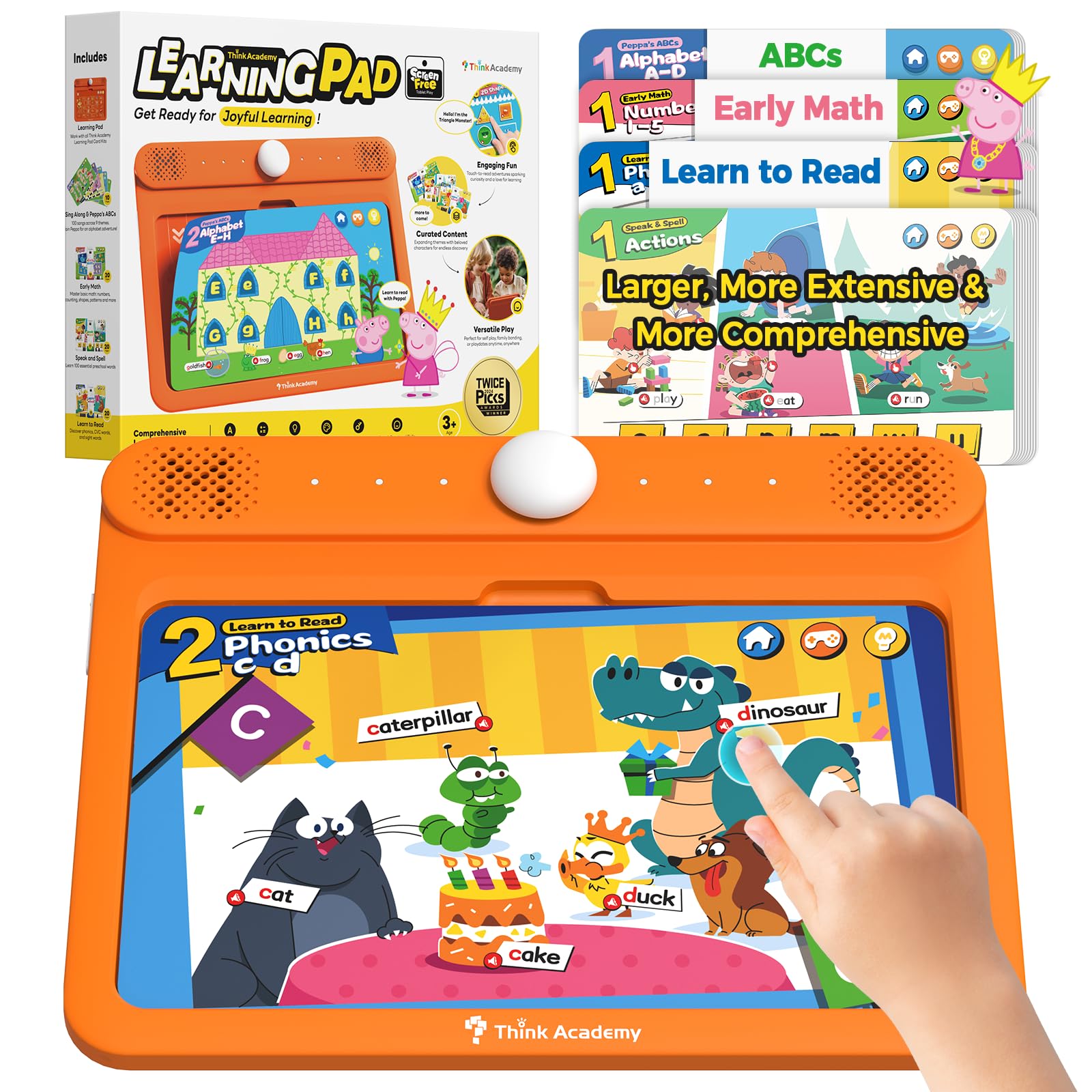
The Think Academy Learning Pad is a true screen-free learning system that uses physical flash cards inserted into the device. The device reads the cards aloud, offering voice prompts and sound effects for each image. With 160+ pages covering early math, phonics, animal names, and daily life skills, the sheer variety keeps a three-year-old engaged across dozens of sessions without needing a battery-draining screen.
Three distinct play modes—Exploration Mode, Game Mode, and Hints Mode—adapt the difficulty to the child’s pace. The thick ABS frame has rounded edges that are safe for rough handling, and the waterproof matte film on the cards makes them easy to wipe clean after snack time mishaps. It requires 3 AA batteries, and the device itself is lightweight at just over a pound, easy for a toddler to carry around.
The main limitation is the lack of audio recording or customization—you’re limited to the pre-recorded voices and sounds. There’s no way to add your own voice or import new card sets. However, the curated content is well-designed by teachers, and the tactile action of inserting cards builds hand-eye coordination that a digital touch screen cannot replicate. It’s an ideal first learning system for families committed to minimizing screen time.
Why it’s great
- Screen-free design eliminates passive consumption risk
- Waterproof cards resist spills and sticky fingers
- Three difficulty modes adapt to child’s progress
Good to know
- No recording function for personalized voice messages
- Card set is fixed—no expansion packs available
7. KOKODI Talking Pen Books Sets
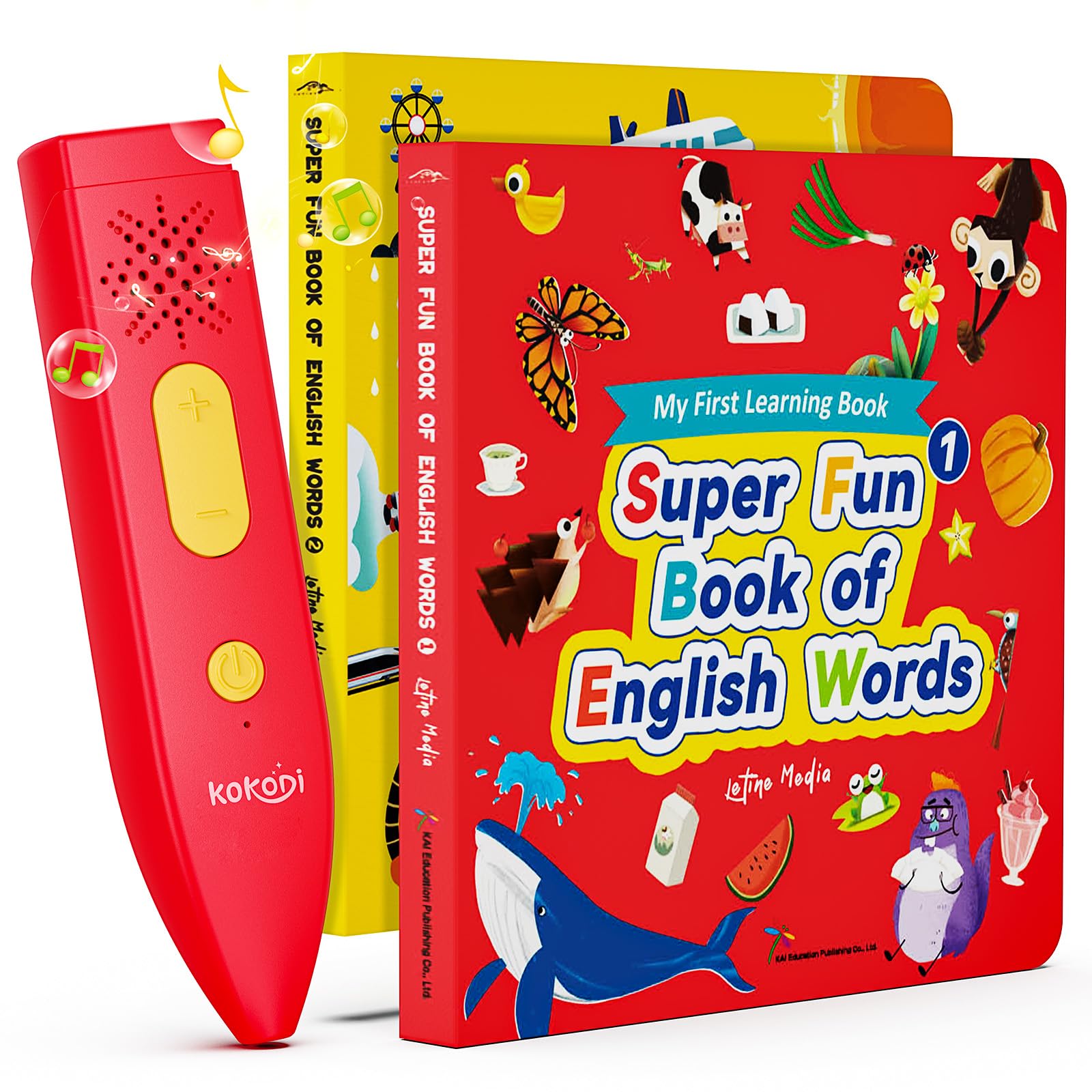
The KOKODI Talking Pen Books Sets take a completely screen-free approach by using a stylus that reads aloud when tapped on images or words in two included books. With over 450 words, 500+ interactive games, and 1,500+ pure American English pronunciations, this system provides substantial early language input. It’s particularly noted as a helpful tool for children with autism or speech delays due to its repetitive, self-paced audio feedback.
One standout feature is the recording function that lets parents record their own voice into the pen. This turns the device into a messaging tool, allowing a parent to leave instructions or encouragement, which strengthens the child’s emotional connection during independent play. The books use eco-friendly ink with rounded corners and tear-resistant pages, making them safe for enthusiastic page-turners. The pen operates on 2 AAA batteries and requires no downloads or Wi-Fi.
The biggest caveat is the accuracy requirement: the pen tip must hit the marked area precisely, and tapping too quickly can cause audio cut-off or skipping. Young children may need initial guidance to master the tapping technique. The thin book pages, while tear-resistant, can still bend if handled roughly. For families looking for a low-cost, screen-free language immersion tool with a personal touch, this set is a strong candidate.
Why it’s great
- Recording function lets you personalize audio messages
- Large vocabulary with 1,500+ pronunciations supports speech development
- No Wi-Fi, downloads, or screen time required
Good to know
- Requires precise tapping—frustrating for some toddlers initially
- Book pages are tear-resistant but still bendable
FAQ
Are screen-free learning tablets better for a 3-year-old than digital ones?
How much storage does a kids learning tablet really need?
What should I look for in a kid-proof case for a toddler tablet?
Can a 3-year-old use a tablet without internet access?
Final Thoughts: The Verdict
For most users, the learning tablets for 3 year olds winner is the Amazon Fire HD 10 Kids tablet because it combines a large, crisp display with robust parental controls and an unmatched replacement guarantee. If you want a screen-free tactile experience that builds fine motor skills, grab the Think Academy Learning Pad. And for maximum portability with the same reliable ecosystem, the Amazon Fire 7 Kids tablet is the compact champion.