A four-year-old’s brain is wired for cause-and-effect discovery, not passive swiping. The difference between a tablet that turns them into a quiet spectator and one that builds real pre-reading and logic skills comes down to the operating system, the parental controls, and the pre-loaded content. You need a device that matches a preschooler’s short attention span without turning screen time into a constant negotiation.
I’m Emma — the founder and writer behind Baby Bangs. I’ve spent years analyzing how hardware specs like RAM size, battery endurance, and display resolution directly affect whether a four-year-old actually engages with an educational app or just watches video after video.
After combing through the market for screen-free pads, Android tablets with Google Kids Space, and the ubiquitous Amazon Fire, I’ve built a clear framework for picking the best learning tablets for 4 year olds that balance child-safe content with real educational value.
How To Choose The Best Learning Tablet For A 4 Year Old
A four-year-old doesn’t need a general-purpose computer. They need a curated learning environment with a locked-down interface, a case that survives a drop from the kitchen table, and content that builds pre-reading, counting, and logic skills rather than passive video consumption. Here are the three specs that separate a truly educational tablet from an expensive video player.
Parental Control Depth
Look for tablets that let you set per-app time limits, block in-app purchases entirely, and filter content by age range without having to approve every single download. Amazon’s Parent Dashboard and Google’s Family Link both offer this, but the Fire Kids line does it best by combining a whitelist approach with a kid-proof launcher that hides the adult Android home screen. A 4-year-old should never stumble into the Google Play Store on their own.
Pre-Installed Educational Content vs. Blank Slate
Some tablets arrive packed with teacher-approved apps for phonics, math, and creativity. Others are a bare Android operating system that requires you to manually install everything. For a 4-year-old, the pre-loaded route saves you hours of curation and ensures the device is immediately usable. The Contixo V10 and the Amazon Fire 7 Kids are excellent examples of content-first design.
Screen Size and Eye Protection
A 7-inch screen is fine for a 4-year-old’s small hands, but a 10-inch display with eye-protection mode (blue-light filtering) reduces eye strain during longer sessions. Check for IPS panels with wide viewing angles — cheap TN screens wash out when a toddler looks at them from an angle.
Quick Comparison
On smaller screens, swipe sideways to see the full table.
| Model | Category | Best For | Key Spec | Amazon |
|---|---|---|---|---|
| Amazon Fire 7 Kids (Newest) | Full Android | Worry-free guarantee & content library | 2-year replacement warranty | Amazon |
| CFVOCUY Android 15 Kids Tablet | Full Android | Large screen & Wi-Fi 6 | 8GB (3+5) RAM, Wi-Fi 6 | Amazon |
| WXUNJA Android 15 Kids Tablet | Full Android | Fast octa-core & dual-band Wi-Fi | 2.0GHz octa-core, 6000mAh battery | Amazon |
| Contixo V10 7″ Kids Tablet | Full Android | Pre-loaded learning apps & bundle | Includes headphones & sleeve bag | Amazon |
| EDDBNi Android 14 Kids Tablet | Full Android | Latest Android 14 & fast charging | 6000mAh battery, 6GB RAM | Amazon |
| Think Academy Learning Pad | Screen-Free | Screen-free, logic & phonics practice | Flashcard-based, 3 play modes | Amazon |
| PRITOM 7″ Kids Tablet | Full Android | Budget entry-level Android tablet | 4GB (2+2) RAM, iWawa software | Amazon |
In‑Depth Reviews
1. Amazon Fire 7 Kids Tablet (Newest Model)

The Amazon Fire 7 Kids tablet is the most parent-friendly device on this list because of the 2-year worry-free guarantee. If a 4-year-old snaps the screen or drops it in a puddle, Amazon replaces it free for two years. That alone makes it the safest purchase for families who expect rough daily use.
The included 6-month Amazon Kids+ subscription unlocks thousands of ad-free books, interactive games, and preschool videos from Disney, Nickelodeon, and PBS Kids. The Parent Dashboard lets you set time limits, filter content by age, and even pause the tablet remotely — no jailbreaking or third-party apps required. The 7-inch screen fits small hands, and the kid-proof case absorbs drops from counter height.
At 10 hours of battery life, it easily lasts through a car trip and a full afternoon of play. The main trade-off is storage: the base model comes with 16 GB, though you can expand via microSD up to 1 TB. It’s the top-selling kids tablet on Amazon for a reason, and for preschoolers, it’s the no-brainer choice.
Why it’s great
- 2-year replacement guarantee covers any breakage
- Amazon Kids+ content is age-filtered and ad-free
- Parent Dashboard is intuitive and granular
Good to know
- Only 16 GB base storage
- Stuck in Amazon ecosystem — no native Google Play Store
2. CFVOCUY 10.1 Inch Android 15 Kids Tablet

The CFVOCUY stands out for its hardware-forward approach in the kids tablet space. It ships with Android 15 and the latest AI optimizations, meaning app performance is snappy even with multiple educational games open. The 8 GB of RAM (3 GB physical + 5 GB virtual) is overkill for most preschool apps, but that headroom means it won’t slow down as the child grows into more complex software.
Wi-Fi 6 support is a genuine advantage in busy households where multiple devices compete for bandwidth. The 1280×800 IPS display includes an eye-protection mode that reduces blue light, and the 5000 mAh battery delivers around 8 hours of mixed use. The included EVA foam case is lightweight but surprisingly impact-resistant, covering all four corners.
Pre-loaded educational apps cover basic literacy and math, though the selection isn’t as deep as Amazon’s curated library. You’ll need to browse Google Kids Space for additional downloads. For parents who want the latest OS and future-proof specs, this is the strongest mid-range option.
Why it’s great
- Fast Wi-Fi 6 and ample RAM for smooth multitasking
- Eye-protection mode on a crisp 10.1-inch display
- EVA case provides solid drop protection
Good to know
- Pre-loaded content is thinner than Amazon’s offering
- No 2-year replacement guarantee
3. WXUNJA Android 15 Kids Tablet
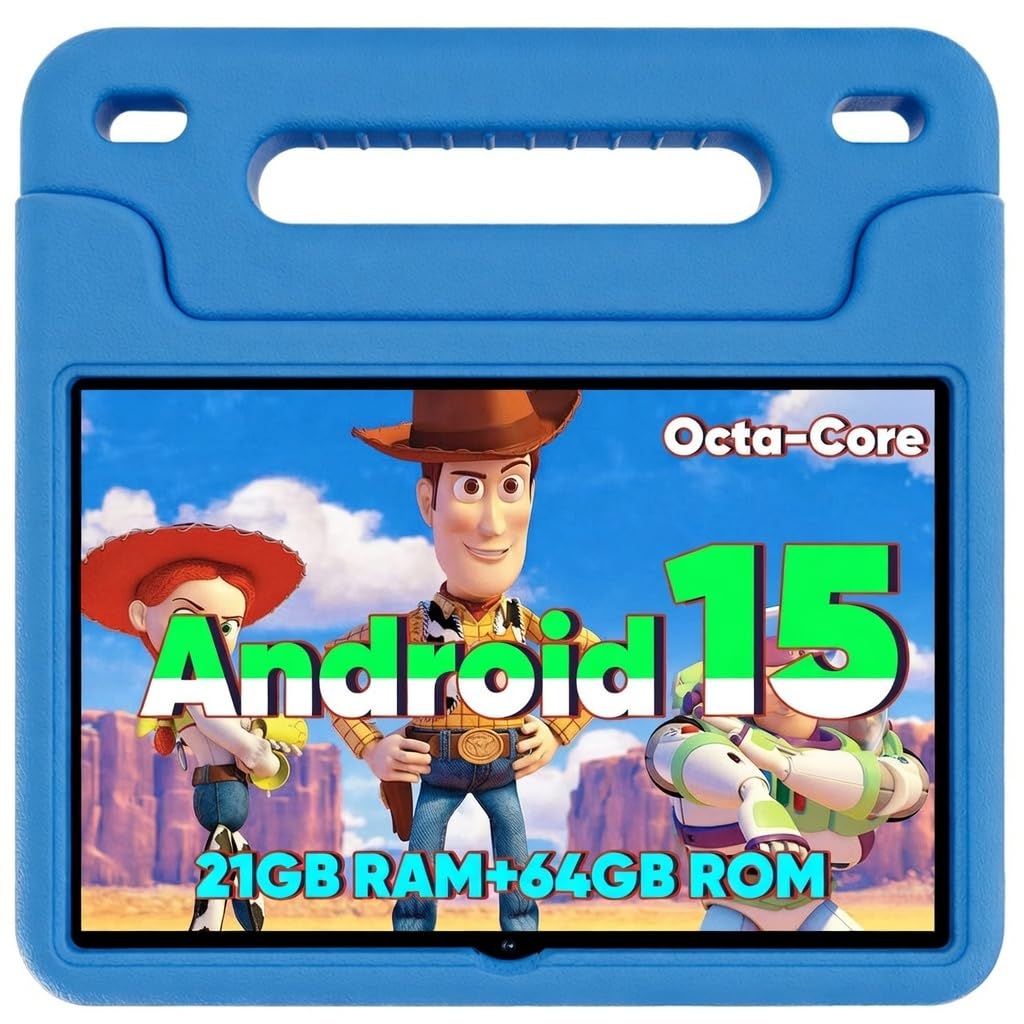
The WXUNJA separates itself with raw processing muscle. The 2.0 GHz octa-core processor is about 40% faster than typical entry-level kids tablet CPUs, which means educational games like logic puzzles and drawing apps load nearly instantly. The 10.1-inch 1280×800 HD IPS display uses blue-light filtering to reduce eye strain during longer sessions.
Parental controls are handled through Google Kids Space, giving you age-based content filtering and screen-time limits. The silicone kickstand case is sturdy enough for daily drops and allows hands-free viewing on a table or car seat. Battery life is around 9 hours for video playback, and the 6000 mAh battery supports 18W PD fast charging, so you’re not waiting around when it runs flat.
One subtle advantage is the 2.4/5 GHz dual-band Wi-Fi — the 5 GHz band reduces interference in crowded homes, keeping streaming apps and video calls stable. If you need a device that feels fast now and stays usable as your child approaches 7 or 8, this is the pick.
Why it’s great
- Fast octa-core processor handles demanding apps smoothly
- 6000 mAh battery with PD fast charging
- Stable 5 GHz Wi-Fi support
Good to know
- No pre-loaded educational content beyond Google Kids Space
- Case is decent but not as rugged as Amazon’s
4. Contixo 7″ Kids Learning Tablet Bundle
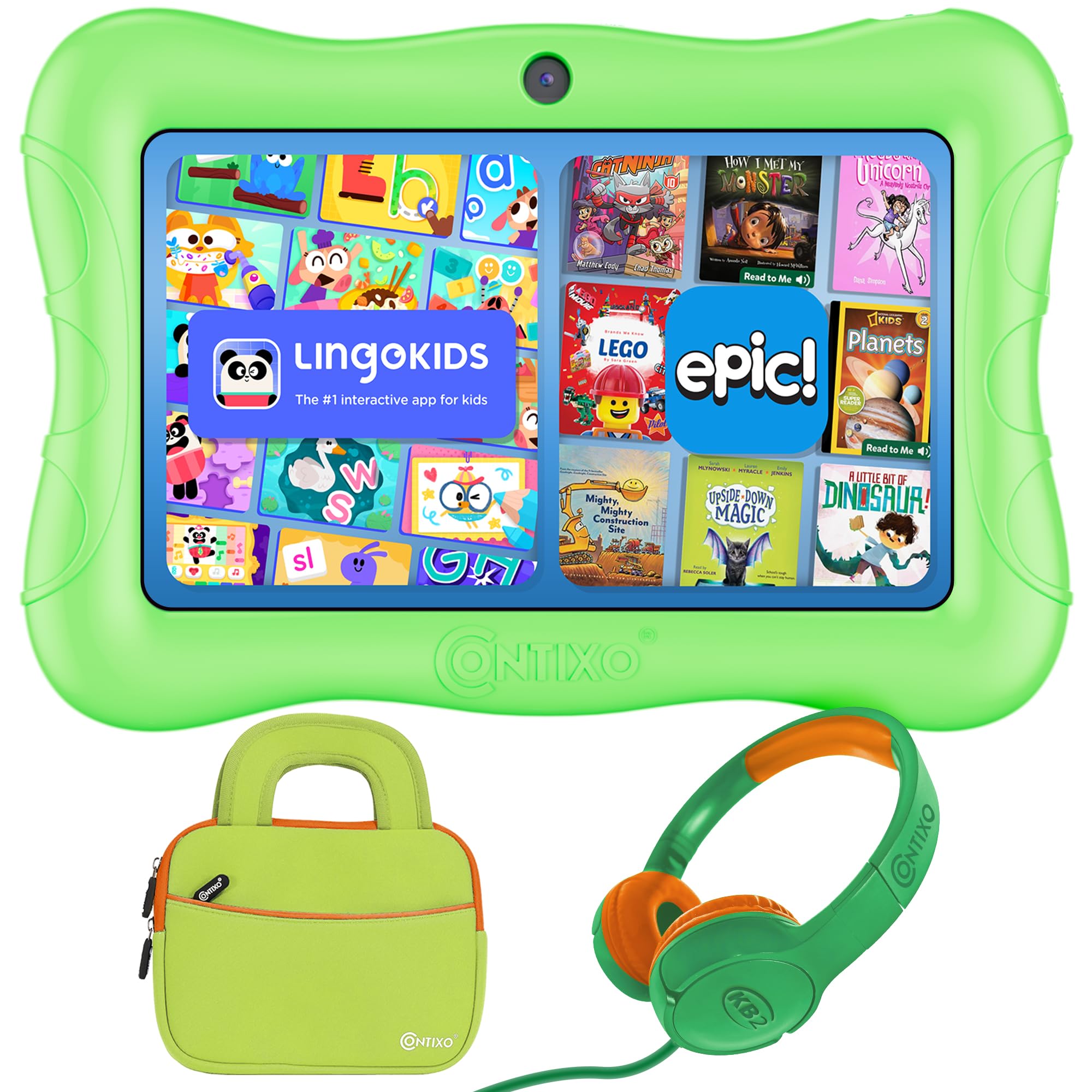
The Contixo V10 is the rare tablet that arrives ready to teach without any setup. It comes loaded with 14 teacher-approved apps covering math, reading, writing, coding, and music — estimated by the manufacturer at a content value. For a busy parent who doesn’t want to sift through the Google Play Store, this is a huge time saver.
The bundle includes hearing-safe wired headphones and a shockproof travel case with a built-in kickstand, making this a grab-and-go solution for road trips or waiting rooms. The 7-inch HD IPS display reduces glare, and the raised-edge kid-proof case protects the screen when it’s dropped on its face. Battery life is rated at 6-8 hours of active use, and the microSD slot supports expansion up to 256 GB.
The parental controls rely on Google Family Link, which lets you approve downloads and set screen limits. It’s GMS-certified, so you have full access to YouTube Kids and other Google services. The only real compromise is the 1.5 GHz quad-core processor — it’s adequate for preschool apps but will feel slow with more demanding titles in a year or two.
Why it’s great
- 14 pre-installed educational apps save setup time
- Includes headphones and travel sleeve
- Raised-edge case offers solid screen protection
Good to know
- Quad-core processor may lag on advanced apps
- Limited to 256 GB max microSD
5. EDDBNi Android 14 Kids Tablet

The EDDBNi delivers the latest Android 14 operating system in a package that prioritizes battery endurance. The 6000 mAh cell provides up to 10 hours of mixed use — enough for a full day of preschool apps and video calls with grandparents without a mid-day charge. That’s a meaningful advantage for parents who don’t want to wrangle a charging cable during the afternoon witching hour.
The 10.1-inch screen runs at 1280×800 with an auto-brightness feature that adjusts to ambient light, reducing glare in bright rooms. The included bumper case has an adjustable kickstand, and the 5 MP front camera works well for video chats. Storage starts at 64 GB and expands via microSD up to 1 TB, giving you room for downloaded shows, ebooks, and lots of photos.
The parental controls allow per-app time limits and content filtering, though the interface isn’t as polished as Amazon’s dashboard. The quad-core processor is paired with 6 GB of RAM (the higher RAM number likely includes virtual expansion), which keeps the interface responsive during basic tasks.
Why it’s great
- Excellent 10-hour battery life for all-day use
- Large 64 GB base storage expandable to 1 TB
- Auto-brightness screen reduces eye fatigue
Good to know
- Parental control interface is less intuitive
- No pre-installed educational app bundle
6. Think Academy Learning Pad

The Think Academy Learning Pad takes a radically different approach: it’s a screen-free electronic system that uses physical flashcards inserted into a reader base. Rich voice prompts and sound effects guide a 4-year-old through activities without a single pixel of blue light. This is the ideal choice for parents who want the interactive feedback of a tablet without the screen addiction risk.
Three play modes — Exploration, Game, and Hints — adapt to different learning paces. The 80 double-sided cards cover numbers, alphabet, animals, nature, and daily life skills. The thick ABS frame has rounded edges, and the cards are laminated with a waterproof matte film, making them resistant to toddler slobber and crumpling. The pad runs on 3 AA batteries, so there’s no charging cable to lose.
The main limitation is the lack of expandable content — you’re limited to the included cards. It also doesn’t teach typing or digital navigation skills. But for pure pre-reading and logic-building without screen time, this is the most effective tool on the list.
Why it’s great
- Zero screen time — protects developing eyes
- Three play modes match different learning speeds
- Durable, waterproof cards survive rough handling
Good to know
- Content is limited to included flashcards only
- Requires 3 AA batteries (not rechargeable)
7. PRITOM 7 Inch Kids Tablet

The PRITOM K7Pro is the entry-level Android tablet that does the basics without costing a lot. It runs Android 11 on a quad-core processor with 2 GB of physical RAM plus 2 GB of virtual expansion, which is enough for simple preschool apps like coloring games, animal recognition, and basic phonics. The 7-inch 1024×600 IPS display is low-resolution by modern standards but perfectly usable for young children who don’t need 1080p video.
The iWawa kid’s software comes pre-installed with free learning games and apps, and the Google Play Store is accessible for additional downloads. The silicone bumper case has a kickstand and provides decent drop protection. Battery life is around 4 hours, which is shorter than most competitors — plan for a mid-day recharge if your child uses it heavily.
The parental controls allow content filtering and time limits, but they’re less robust than Amazon’s Family Dashboard. At only 4 hours of battery life and with Android 11 (which is now a few versions behind), this tablet is best as a low-cost trial device or a backup for travel.
Why it’s great
- Very affordable entry into Android kids tablets
- iWawa software includes free pre-loaded learning apps
- Kid-proof silicone case with kickstand included
Good to know
- Only 4 hours of battery life
- Runs outdated Android 11
FAQ
Is a screen-free learning pad better than a tablet for a 4 year old?
How much RAM does a kids learning tablet really need for preschool apps?
What parental control features matter most for a 4 year old?
Final Thoughts: The Verdict
For most families, the learning tablets for 4 year olds winner is the Amazon Fire 7 Kids because the 2-year replacement guarantee and the curated Amazon Kids+ library make it the safest, lowest-friction choice for a preschooler’s first digital device. If you want the fastest hardware with modern connectivity, grab the CFVOCUY Android 15 Kids Tablet for its Wi-Fi 6 and ample RAM. And for a completely screen-free learning experience that builds focus and logic without blue light, nothing beats the Think Academy Learning Pad.